The main mistake that causes back pain quickly at a standing desk is using improper height and poor posture. If your desk is too high or low, or if you lean forward or slouch, it strains your back muscles and spine. Standing for long periods without adjusting your position or taking breaks also worsens discomfort. To avoid this, make sure your desk setup is correct and stay active—more tips to follow that can help keep your back healthy.

Get art and craft supplies delivered free — and shop member deals
- Fast, free delivery on millions of items
- Access to Prime Big Deal Days deals on October 6–7
- Prime Video, Amazon Music and more included
Key Takeaways
- Poor desk height forcing awkward postures can quickly strain your back and cause pain.
- Neglecting ergonomic adjustments like monitor and keyboard positioning leads to unnecessary back stress.
- Standing for long periods without movement or breaks causes muscle fatigue and stiffness.
- Wearing unsupportive footwear or standing on hard surfaces increases back discomfort.
- Ignoring early signs of soreness or tightness prevents timely correction, worsening back pain.
As an affiliate, we earn on qualifying purchases.
Recognizing Back Pain From Standing Desks: What You Need to Know
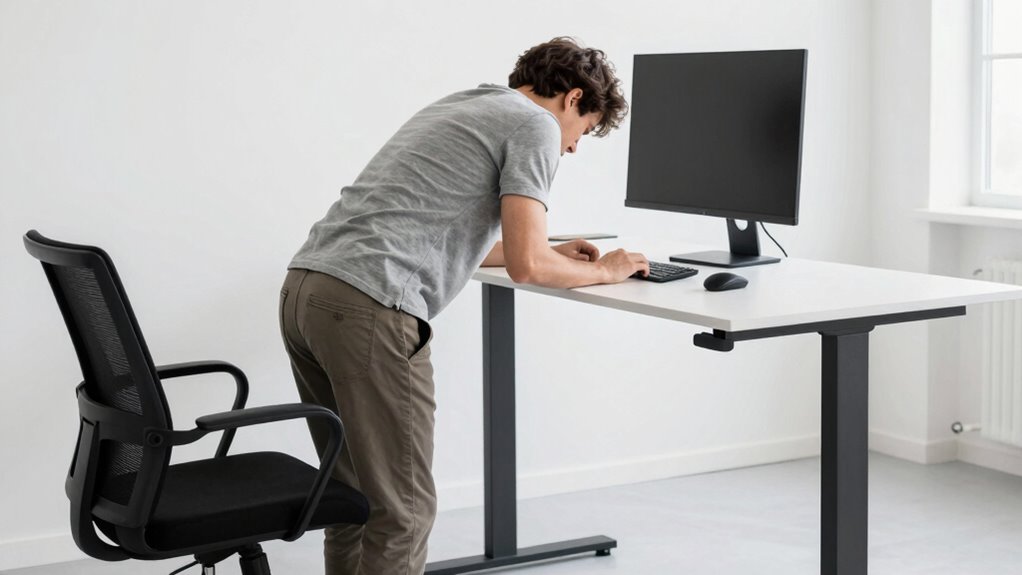
Have you ever felt a dull ache or sharp pain in your back after a day of using a standing desk? You’re not alone. Back pain from standing often signals poor desk ergonomics or inadequate footwear. If your shoes lack proper support, your muscles strain to compensate, leading to discomfort. Pay attention to how you feel during and after standing—persistent soreness, stiffness, or throbbing are signs you need to adjust. Proper ergonomic footwear helps maintain proper alignment and reduces stress on your back. Additionally, ensuring your desk height promotes good ergonomics is vital. Recognizing these early signals allows you to make necessary changes before pain worsens. Being mindful of your posture and footwear choices is key to preventing back pain from standing desks.
How Poor Desk Height and Posture Cause Back Discomfort
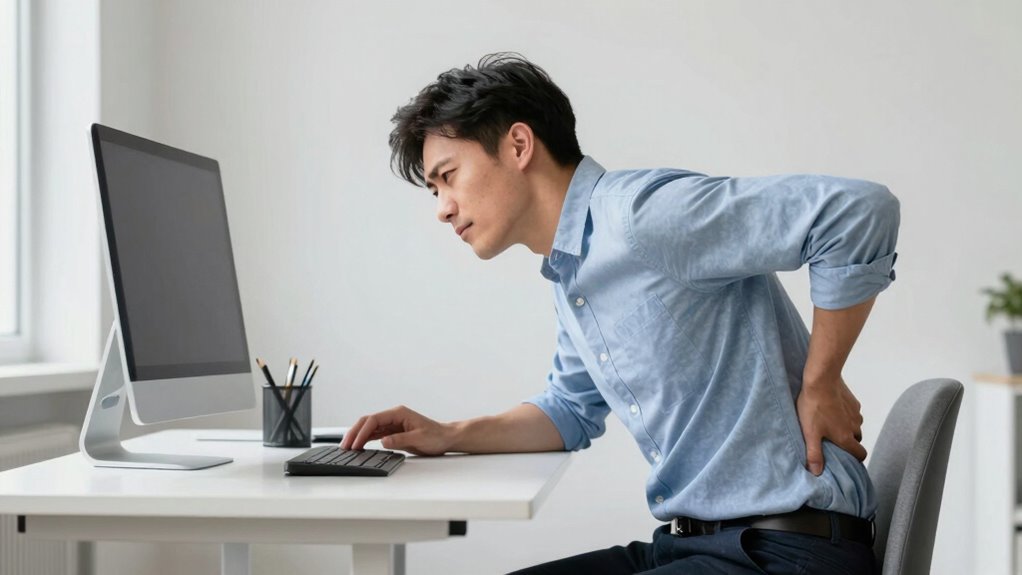
When your desk is too high or too low, it forces your body into awkward positions that can strain your back. Poor posture alignment from improper setup adds extra stress to your spine and muscles. Fixing your desk height and maintaining good posture helps prevent back discomfort and keeps you comfortable all day. Ensuring your workspace promotes correct ergonomic posture can significantly reduce the risk of back pain. Additionally, adjusting your chair and monitor to support proper body alignment promotes comfort and reduces fatigue. Using necessary cookies and other site features effectively can enhance your overall ergonomic setup by providing tailored guidance and feedback. Regularly reviewing your workspace for potential risk factors related to poor ergonomics is also essential for long-term back health. Remember, adopting good ergonomic habits during your workday is essential for long-term back health.
Incorrect Desk Height
Incorrect desk height often leads to poor posture, which can cause significant back discomfort over time. If your desk isn’t set correctly, you might find yourself slouching or reaching awkwardly, straining your back muscles. To avoid this, consider these key points:
- Ensure your desk height allows your elbows to be at a 90-degree angle when typing.
- Use ergonomic accessories like adjustable monitor stands to maintain proper screen level.
- Check that your feet are flat on the floor, and your thighs are parallel to the ground.
- Adjust your desk height so that your wrists are straight, not bent, to minimize strain.
- Remember that proper ergonomic setup plays a crucial role in maintaining overall comfort and preventing long-term musculoskeletal issues. Additionally, regularly taking breaks from sitting can help reduce muscle fatigue and improve posture throughout the day. Incorporating ergonomic principles can further optimize your workspace and prevent discomfort. Paying attention to desk ergonomics can make a significant difference in long-term back health. Ensuring your workspace is designed with correct ergonomic considerations can further enhance comfort and reduce the risk of injury.
Poor Posture Alignment
Poor posture alignment occurs when your desk setup and sitting habits don’t support a natural, ergonomic position. When your desk height isn’t adjusted properly, you may hunch forward or crane your neck, causing back discomfort. Using ergonomic accessories like adjustable monitor stands or lumbar supports can help align your spine correctly. Additionally, footwear choices matter; wearing supportive shoes or using anti-fatigue mats encourages better posture by promoting proper weight distribution. Poor posture not only strains your back muscles but also puts pressure on your spine, leading to pain and fatigue. To prevent this, focus on maintaining a neutral spine, keeping your shoulders relaxed, and ensuring your feet are flat on the ground. Small adjustments can make a significant difference in reducing back discomfort caused by poor posture alignment. Incorporating ergonomic principles into your workspace setup can further optimize your posture and prevent long-term issues. Paying attention to proper desk height and making adjustments can significantly improve your comfort throughout the day. Ensuring your workspace is set up with the right adjustable tools can further support ergonomic posture. Additionally, being mindful of appropriate footwear can help maintain proper alignment during prolonged periods of sitting.
Adjust Your Standing Desk for Proper Alignment and Comfort
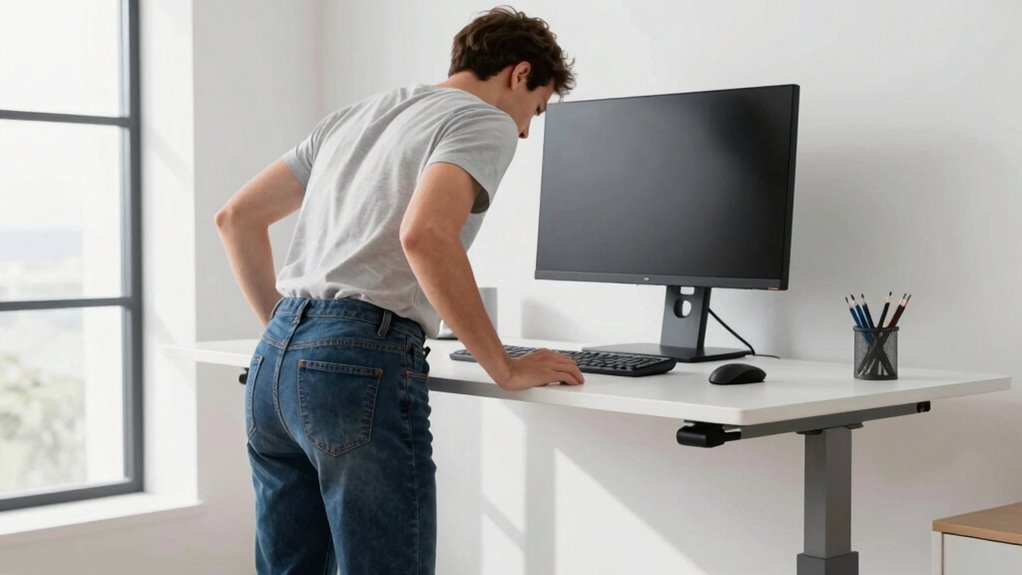
To guarantee your standing desk promotes proper alignment and comfort, start by adjusting its height so that your elbows are bent at about a 90-degree angle and your wrists are straight. This ensures ideal desk ergonomics and supports posture correction. Once set, check these key points:
- Keep your monitor at eye level to avoid neck strain.
- Ensure your feet are flat on the ground, with knees slightly below hip level.
- Position your keyboard and mouse so your shoulders stay relaxed.
- Adjust the desk height if needed to prevent slouching or overreaching.
Additionally, consider desk ergonomics to optimize your setup and reduce the risk of discomfort. Proper posture habits throughout your workday can significantly decrease back pain and enhance overall comfort. Incorporating support networks for new dads can also help if you’re balancing work and family responsibilities during this transition. Regularly reviewing your ergonomic setup can help maintain proper alignment as your work routine evolves. Being aware of musculoskeletal health can further inform adjustments to prevent strain and injury.
Proper desk ergonomics minimizes strain and maximizes comfort, helping you maintain good posture throughout your day. Making these adjustments is a simple but essential step in avoiding back pain and guaranteeing long-term comfort.
Why Moving and Taking Breaks Prevent Back Pain

Moving regularly helps keep your muscles flexible and prevents stiffness that can lead to back pain. Incorporating Italian food culture into your routine can also promote better overall well-being by encouraging mindful movement and social engagement. Taking breaks reduces the strain on your spine from prolonged sitting or standing. When you stay active and rest often, you support your back’s health and comfort.
Frequent Movement Promotes Flexibility
Regularly shifting your position and taking short breaks can considerably boost your flexibility, which is essential for preventing back pain. When you move frequently, your muscles stay active and less stiff. Incorporate these habits for better flexibility:
- Switch between standing and seated positions often.
- Perform seated stretching to loosen tight muscles.
- Wear ergonomic footwear that supports natural movement.
- Take brief walks or leg stretches to keep blood flowing.
These actions help prevent muscle tightness and improve your range of motion. Moving around encourages your body to stay limber, reducing strain. Using ergonomic footwear makes movement easier, while seated stretching targets key areas to keep your back healthy. Consistent movement is your best tool for avoiding back pain caused by prolonged sitting.
Regular Breaks Reduce Strain
Taking frequent breaks throughout your workday helps prevent back strain by giving your muscles a chance to relax and recover. During these breaks, stand up, stretch, and move around to relieve tension. Incorporate stretching exercises that target your back, neck, and shoulders to keep muscles flexible. Using ergonomic accessories like footrests or lumbar support cushions can also reduce strain during work. These small adjustments, combined with regular movement, help prevent stiffness and discomfort. Remember, staying in the same position for extended periods makes muscles tighten, increasing pain risk. By actively taking breaks and stretching, you promote better posture and circulation, which are essential for maintaining a healthy back. Consistent movement is your best defense against back pain caused by prolonged standing.
Spotting Early Signs of Back Strain and How to Fix Them
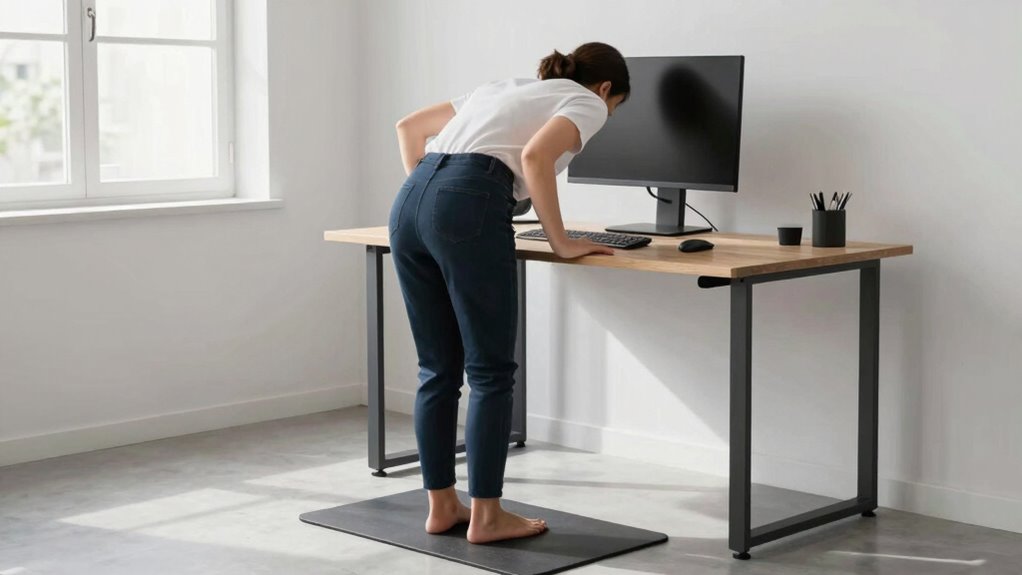
Have you noticed any persistent aches or discomfort after long periods at your standing desk? Recognizing early signs of back strain can prevent more serious issues. Here are four indicators to watch for:
- Persistent lower back pain that worsens with standing.
- Tingling or numbness in your legs or hips.
- Tightness or stiffness in your lumbar region.
- Discomfort that improves only when sitting down.
If you notice these signs, consider adjusting your setup. Wear ergonomic footwear to reduce impact and improve stability. Ensure your lumbar support is adequate to maintain proper spinal alignment. Taking these steps can ease early discomfort and prevent future back problems. Being attentive to these cues helps you maintain a healthier, pain-free standing routine.
Build a Back-Friendly Standing Routine That Lasts
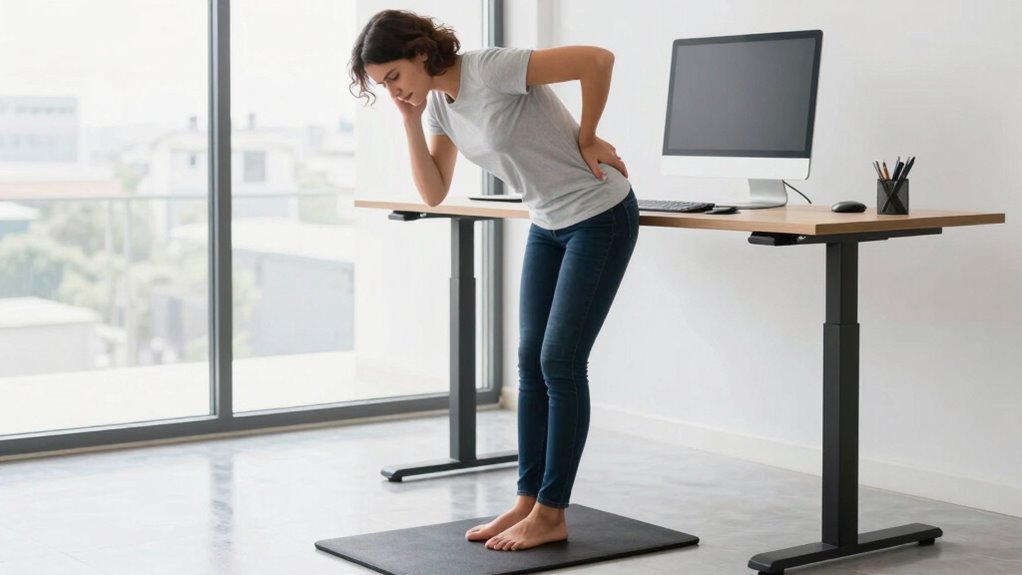
Creating a sustainable standing routine starts with establishing proper posture and movement habits that protect your back. Use ergonomic accessories like anti-fatigue mats and adjustable height desks to support comfort and reduce strain. Incorporate seated alternatives, such as sit-stand options, to vary your position and prevent fatigue. Make a habit of shifting your weight regularly, moving your hips and legs, and avoiding static positions for too long. Break up long periods of standing with short, purposeful movements, like calf raises or gentle stretches. Focus on maintaining a neutral spine and relaxed shoulders. Building this routine gradually helps your body adapt and reduces the risk of back pain. Consistency, combined with the right accessories and movement, creates a sustainable, back-friendly standing habit.
Essential Accessories and Tips to Support Your Back While Standing
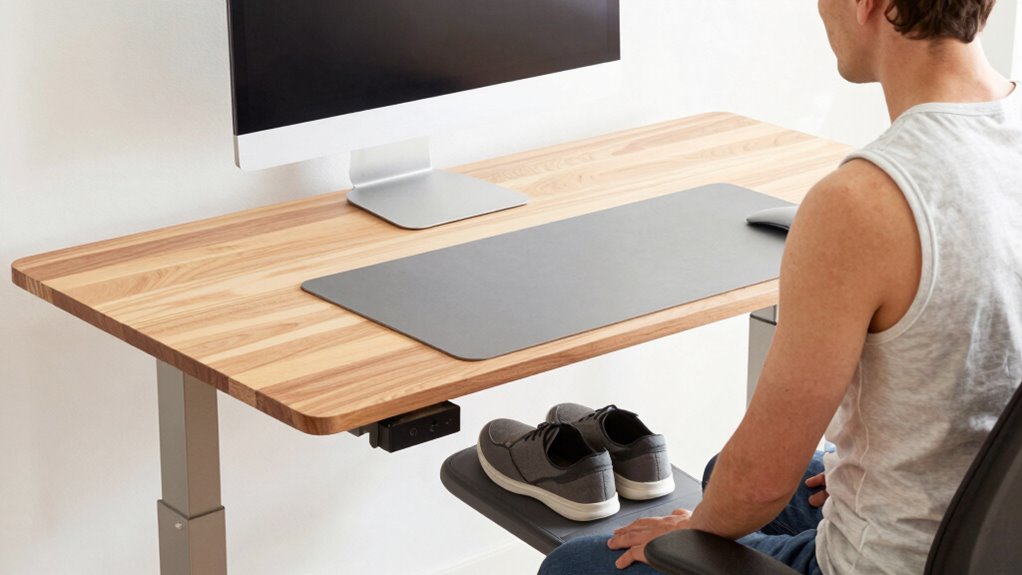
Using the right accessories can make a significant difference in supporting your back during long periods of standing. Proper gear helps reduce strain and improve comfort. Here are four essential items:
Supporting your back with the right accessories boosts comfort and reduces strain during long standing hours.
- Ergonomic footwear – Choose supportive shoes that cushion your feet and promote proper posture.
- Anti-fatigue mat – Place this under your feet to lessen fatigue and improve circulation.
- Adjustable desk organization – Keep frequently used items within reach to avoid awkward bending or twisting.
- Footrest – Use a footrest to shift weight and reduce lower back pressure when standing for extended periods.
These accessories encourage better desk organization and ergonomic footwear choices, helping you maintain proper alignment and prevent back pain while standing.
Frequently Asked Questions
How Can I Tell if My Standing Desk Setup Is Causing My Back Pain?
You can tell if your standing desk setup causes back pain by noticing persistent discomfort after work. Check if your feet are properly positioned on a comfortable desk mat and your weight evenly distributed. If your lower back hurts or feels strained, it might be due to poor foot positioning or an uneven desk height. Adjust your desk, use a supportive mat, and make certain your posture remains aligned to reduce pain.
What Are Common Mistakes People Make When Adjusting Their Standing Desk Height?
You often make mistakes in desk ergonomics by not adjusting your standing desk to the correct height. Make certain your elbows are at a 90-degree angle and your monitor is eye level for proper posture correction. Avoid setting the desk too high or too low, which can strain your back and neck. Regularly check your setup to maintain ideal ergonomics, reducing discomfort and preventing long-term back pain.
Are There Specific Exercises to Strengthen My Back for Standing Desk Use?
Sure, you can turn your back into a steel trap with simple exercises. Focus on core stability exercises like planks and bridges, which strengthen your supporting muscles. Don’t forget stretching routines to keep muscles flexible. These habits help prevent back pain, especially when standing all day. So, get moving, strengthen that core, and stretch regularly—your back will thank you for it, even if your boss doesn’t.
How Often Should I Switch Between Sitting and Standing During Work Hours?
You should switch between sitting and standing every 30 to 60 minutes to prevent back pain. Adjust your desk height frequently to maintain ergonomic alignment, ensuring your elbows are at a 90-degree angle. Wear ergonomic footwear to support your feet and promote better posture. Taking these breaks and making quick desk height adjustments helps reduce strain, keeping your back healthier and more comfortable throughout your workday.
What Ergonomic Accessories Can Help Improve My Standing Desk Posture?
Think of ergonomic accessories as your posture’s best friends. Foot cushions and anti-fatigue mats are essential; they reduce pressure on your feet and lower back, keeping you comfortable and aligned. Place foot cushions under your feet or stand on anti-fatigue mats to prevent fatigue and promote better posture. These simple tools help you stay energized and avoid back pain, turning your standing desk into a supportive workspace.
Conclusion
To keep your back happy while standing, pay close attention to your habits and setup. Small adjustments, like shifting your weight or taking gentle breaks, can make a big difference. Remember, it’s all about nurturing your comfort and listening to your body’s whispers. By staying mindful and making simple tweaks, you’ll create a supportive routine that keeps discomfort at bay and your back feeling strong and cared for.
Fall Picks
fall essentials
As an affiliate, we earn on qualifying purchases.