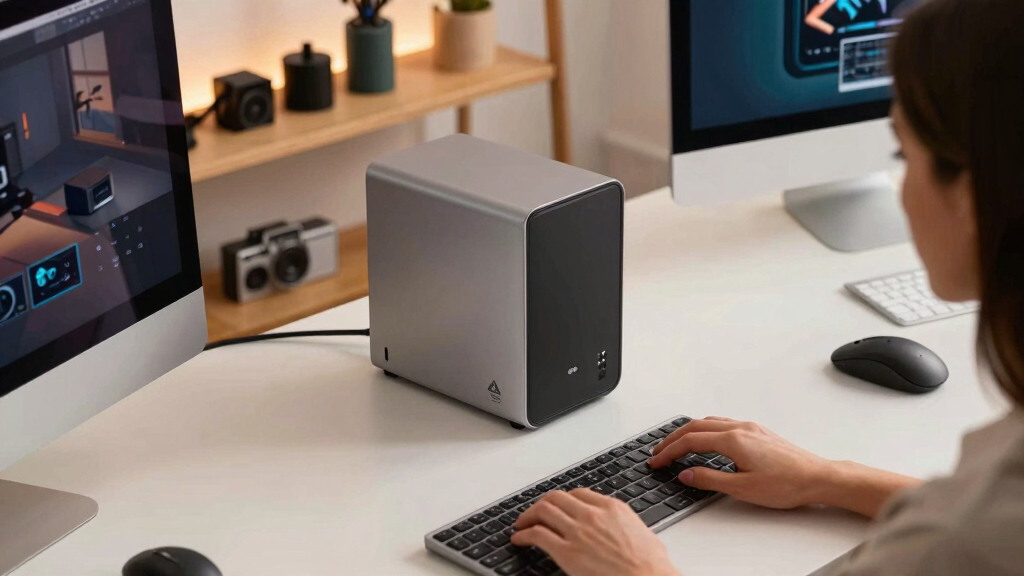

When choosing the best NAS storage system for creators, the key factors are speed, capacity, expandability, and ease of integration into existing workflows. The Buffalo LinkStation 210 offers a budget-friendly, simple solution for home use, while the Asustor Lockerstor 6 Gen3 stands out for high performance and versatility for professional content creation. The main tradeoffs in this category include balancing raw speed and capacity against cost and complexity. Some systems excel in multi-user environments, but may be overkill for solo creators, making it essential to match your needs precisely. Keep reading for a detailed breakdown of the best options in 2026, tailored for creators at every level.
Key Takeaways
- High-core CPUs and large RAM are essential for handling large media files and multitasking efficiently.
- All-SSD NAS systems offer faster data access—ideal for editing workflows—though they come with higher price tags.
- Expandability matters; systems with multiple bays and M.2 slots enable future growth without replacing the entire unit.
- Ease of setup and management varies; beginner-friendly options prioritize intuitive interfaces over raw performance.
- Balancing cost against performance is key; premium systems deliver speed and features, but budget options can suffice for lighter workloads.


More Details on Our Top Picks
BUFFALO LinkStation 210 6TB 1-Bay NAS Network Attached Storage with HDD Hard Drives Included NAS Storage that Works as Home Cloud or Network Storage Device for Home
This model stands out for its simplicity and affordability, making it ideal for creators who need reliable, centralized storage at a low cost. Compared with the UGREEN NAS DXP480T Plus, it offers less speed and fewer features but excels in ease of setup and basic data sharing. The included HDDs simplify initial use, but this limits flexibility for high-performance tasks. Its RAID support and secure file sharing are great for personal projects, yet it lacks the high-speed network interfaces and expansion options that more advanced systems provide. Data security is solid with SSL encryption, but it doesn’t support advanced snapshot features or multi-user management. This pick makes the most sense for individual creators or small households focused on straightforward storage without the need for extensive customization.
Pros:- Easy to set up with included HDDs and minimal configuration
- Affordable price point for personal use
- Secure file sharing with individual folder permissions
- 24/7 US-based support for troubleshooting
Cons:- Limited network speed with only gigabit Ethernet
- Single drive bay restricts expandability and redundancy options
- Lacks advanced features like snapshots or virtualization support
Best for: Creators seeking a simple, plug-and-play NAS to centralize backups and media without complex setup or high speeds.
Not ideal for: Professionals needing high-speed data transfer or advanced RAID configurations for large, active media libraries.
- Storage Capacity:6TB
- Drive Bays:1
- Included Drives:HDD included
- Network Interface:Gigabit Ethernet
- Hardware Security:SSL encryption
- Support:24/7 US-based
Bottom line: A reliable, budget-friendly NAS perfect for individual creators and small households focused on simple data storage.
UGREEN NAS DXP480T Plus 4-Bay All-Flash SSD NAS, Intel i5 1235u 10-Core CPU, 8GB DDR5 RAM, Built-in 128G SSD, 10GbE Port, Wi-Fi 6, 4xM.2 NVMe Slots, 8KHDMI, 2xTBT4, Network Attached Storage (Diskless)
This pick makes the most sense for high-performance creators who need ultra-fast data access and flexible storage options. Compared to the BUFFALO LinkStation, it offers dramatically improved speed with 10GbE and NVMe SSDs, plus Wi-Fi 6 for wireless flexibility. Its quad M.2 NVMe slots allow for maximum SSD expansion, making it ideal for editing large video files directly on the NAS. The powerful Intel i5 CPU and 8GB DDR5 RAM ensure smooth multitasking, virtual machines, and media transcoding. However, it requires users to purchase drives separately, and its advanced features may be overkill for simple backup needs. Its high price reflects its premium capabilities, but it’s perfect for creators looking for a robust, expandable system that can handle demanding workflows.
Pros:- Exceptional data transfer speeds with 10GbE and NVMe SSD slots
- Supports high-quality 4K editing and real-time transcoding
- Flexible expansion with four M.2 NVMe slots
- Wi-Fi 6 and dual 2.5GbE ports for wireless and wired connectivity
Cons:- Requires separate purchase of SSDs and drives
- Higher cost due to premium hardware and features
- Complex setup that may be daunting for beginners
Best for: Content creators and professionals requiring a fast, expandable NAS for editing and large media libraries.
Not ideal for: Small-scale hobbyists or those on a tight budget who only need basic storage and backups.
- CPU:Intel i5 1235u 10-Core
- RAM:8GB DDR5
- Drive Bays:4
- Network Speed:10GbE
- NVMe Slots:4
- Support:4K HDMI, Wi-Fi 6
Bottom line: An ideal choice for creators who need maximum speed, expandability, and advanced multimedia capabilities.
Asustor Lockerstor 6 Gen3 AS6806T 6 Bay NAS, AMD Ryzen Quad-Core 2.3GHz, 16GB ECC DDR5, 4 M.2 NVMe Slots, Dual 5GbE and 10GbE, Network Attached Storage for Video & Content Creator (Diskless)
This model stands out for its balance of power, expandability, and ease of use, making it suitable for serious creators needing reliable performance. Compared with the UGREEN NAS DXP480T Plus, it offers a more traditional NAS environment with AMD Ryzen processing, ECC memory for data integrity, and dual 10GbE ports. Its six-bay design allows for larger storage configurations and RAID redundancy, ideal for ongoing projects. The four M.2 NVMe slots support caching and speed improvements, while the user interface is intuitive for managing multi-user access and backups. The main tradeoff is its higher price and slightly larger footprint, which might be unsuitable for small desks. Overall, this NAS caters well to creators working on complex projects requiring dependable multitasking and expandability.
Pros:- Powerful AMD Ryzen CPU handles intensive tasks
- ECC DDR5 memory enhances data safety
- Dual 10GbE ports for fast network throughput
- Six drive bays for large, expandable storage
Cons:- Higher price point compared to entry-level options
- Larger physical size may not suit small spaces
- Setup and management can be complex for beginners
Best for: Content creators and small teams needing a reliable, expandable NAS with high processing power.
Not ideal for: Hobbyists or solo creators with limited space or simpler storage needs.
- CPU:AMD Ryzen Quad-Core 2.3GHz
- RAM:16GB ECC DDR5
- Drive Bays:6
- Network Interfaces:Dual 5GbE and 10GbE
- NVMe Slots:4
- Support:RAID, multi-user
Bottom line: A versatile and powerful NAS well-suited for creators who require reliability, expandability, and high performance.
Asustor Flashstor 6 FS6706T – 6 Bay All-SSD NAS Storage, Quad Core 2.0GHz, Six M.2 SSD, Dual 2.5GbE, 4GB RAM DDR4, Network Attached Storage (Diskless)
This NAS makes the most sense for creators with limited space who need fast storage and quick access to files. Compared to the Lockerstor 6 Gen3, it offers a smaller footprint and focuses on SSD performance, supporting six NVMe drives for rapid data access. Its dual 2.5GbE ports provide faster network speeds over traditional gigabit Ethernet, suitable for streaming or editing large files. The quad-core 2.0GHz CPU and 4GB DDR4 RAM deliver decent multitasking without excess complexity, but it doesn’t include drives, requiring separate purchase. Its compact size and dedicated SSD setup make it ideal for editing workflows and local caching, although it lacks the expandability of larger NAS units. This makes it perfect for creators who prioritize speed and space efficiency for active projects.
Pros:- Compact, space-saving design
- Supports six NVMe SSDs for high-speed data transfer
- Fast 2.5GbE network ports for quick file sharing
- Quiet operation suitable for desktop environments
Cons:- Requires separate purchase of SSDs and drives
- Limited expandability beyond SSD slots
- No included drives or advanced RAID features
Best for: Creators working in tight spaces needing high-speed SSD storage for editing and caching.
Not ideal for: Users seeking large capacity or multi-user sharing with extensive redundancy features.
- CPU:Intel Celeron N5105
- RAM:4GB DDR4
- Drive Bays:6 NVMe slots
- Network Speed:2.5GbE
- Support:6 NVMe SSDs, hardware transcoding
- Size:Compact
Bottom line: A focused, high-speed SSD NAS ideal for creators who need fast local storage in a small footprint.
OTHER PRODUCTS IN THE SAME ROUNDUP (for comparison context — DO NOT write reviews for these)
N/ABest for: N/A
Not ideal for: N/A
Bottom line: N/A
MINISFORUM N5 Pro 5-Bay Desktop AI NAS, AMD Ryzen AI 9 HX PRO 370 12-Core/24T CPU, 128GB SSD, 1x10GbE, 1x5GbE, 1xM.2+2xU.2/M.2 Slots, 2xUSB4(8K), 8K HDMI, OCuLink, Network Attached Storage (Diskless)
This NAS stands out for its powerful AMD Ryzen AI 9 HX PRO processor, delivering exceptional multitasking and AI capabilities that surpass most mainstream options like the UGREEN NAS DXP2800. Its 5-bay configuration supports up to 144TB, making it ideal for creators with large media libraries or demanding workflows, while the inclusion of 10GbE and 5GbE ports ensures ultra-fast data transfer. The modular design and dual U.2/M.2 slots offer flexible storage expansion, and the built-in AI support enhances media processing. However, this performance comes with a hefty price tag and a complex setup that may be overwhelming for beginners. Compared to the ASUSTOR Lockerstor 4, it offers more raw power but at increased complexity. This pick is suited for creators who need robust AI and multimedia capabilities, willing to manage advanced features and higher costs, but it’s probably overkill for casual users.
Pros:- Exceptional multi-core performance with AMD Ryzen AI 9 HX PRO
- Supports up to 144TB with flexible RAID options
- Dual 10GbE and 5GbE ports for blazing-fast network transfer
- Modular design with multiple M.2/U.2 slots for expansion
Cons:- High cost, making it less accessible for hobbyists
- Complex setup process requiring technical expertise
- Lack of native GPU support limits AI performance without external GPU
Best for: Professional content creators and media editors needing high-performance AI processing and extensive storage capacity.
Not ideal for: Entry-level users or those seeking simple, plug-and-play storage solutions without advanced features.
- Processor:AMD Ryzen AI 9 HX PRO 370, 12-core/24-thread
- Max Storage Capacity:up to 144TB
- Network Ports:1x 10GbE, 1x 5GbE
- Memory:Expandable up to 96GB DDR5 ECC
- Drive Bays:5 SATA, 2 M.2/U.2 slots
- Video Outputs:8K HDMI, USB4
Bottom line: This NAS is perfect for advanced creators who need raw power, AI features, and large storage, despite its complexity and price.
UGREEN NAS DXP2800 2-Bay Desktop All-Round Ideal for Content Creators and Enthusiasts, Intel N100 Quad-core CPU, 8GB DDR5 RAM, 2.5GbE, 2X M.2 NVMe Slots, 4K HDMI, Network Attached Storage (Diskless)
This NAS offers a solid balance of performance and affordability, making it ideal for enthusiasts and semi-professional creators who want reliable storage without the complexity of high-end systems like the MINISFORUM N5 Pro. Its Intel N100 quad-core CPU provides sufficient power for multitasking, while 8GB DDR5 RAM ensures smooth operation for most creative workflows. The dual M.2 NVMe slots and 2.5GbE port enable fast data transfers and expandability, and its intuitive setup makes it accessible for users transitioning from external drives or cloud storage. The 4K HDMI output supports multi-display setups, enhancing productivity. However, it’s limited to only two drive bays, which could restrict future capacity, and it lacks the advanced AI and multimedia processing features of higher-tier models. Compared to the AmberPRO Personal Cloud, it’s more suited for local storage and backup, not intensive media editing.
Pros:- Balanced performance with Intel N100 quad-core CPU
- Supports dual M.2 NVMe SSDs for caching or expansion
- Easy setup with user-friendly app compatibility
- 4K HDMI output for multi-display workflows
Cons:- Limited to 2 drive bays, restricting future expansion
- No built-in AI or media transcoding capabilities
- Lower hardware specs than premium models like the Asustor Lockerstor 4
Best for: Small teams or serious hobbyists needing dependable storage with simple network connectivity and moderate media processing.
Not ideal for: Large-scale media professionals or creators requiring extensive storage, AI features, or advanced media decoding.
- Processor:Intel N100 Quad-core
- Max Storage Capacity:up to 8TB or more with drives
- Network Ports:2.5GbE
- Memory:8GB DDR5
- Drive Bays:2 SATA
- Video Outputs:4K HDMI
Bottom line: This NAS is a cost-effective, reliable choice for creators with moderate storage needs and straightforward workflows.
AmberPRO Personal Cloud Storage Device + AC2600 WiFi Router. Dual 1TB Hard Drives with RAID 1 or Optional 2TB with RAID 0. Plex and Home Assistant. iOS/Android/Windows/Mac Compatible. AM1211-1TB
The AmberPRO is designed for personal users prioritizing data security and simple access, with its RAID 1 configuration providing redundancy for critical files. It’s a good fit for those transitioning from external drives, offering local storage combined with remote access via AmberAnywhere. The device’s built-in WiFi router simplifies home network setup, and the Plex and Home Assistant support allow for media streaming and smart home automation. Its compact design makes it suitable for small spaces, and the ability to expand with USB storage adds flexibility. On the downside, the limited 1TB default capacity might be insufficient for large media libraries, and the app’s backup features are somewhat limited and not fully automated, requiring manual setup. Compared to more advanced NAS units, it’s less suited for heavy media editing or multi-user environments.
Pros:- RAID 1 redundancy for data protection
- Built-in WiFi router for simplified network setup
- Supports Plex and Home Assistant for media and smart home
- Compact, space-saving design
Cons:- Limited to 1TB default storage, requiring upgrades for large libraries
- Backup features are manual and less automated
- Not suitable for intensive media editing or multi-user workflows
Best for: Home users seeking secure personal storage with easy remote access and media streaming capabilities.
Not ideal for: Content creators with large media libraries or those needing extensive multi-user collaboration features.
- Storage Capacity:1TB RAID 1 (expandable)
- Network:Built-in WiFi AC2600
- Drive Bays:2
- Media Support:Plex, Home Assistant
- Connectivity:USB, Ethernet
- Compatibility:iOS, Android, Windows, Mac
Bottom line: This device is ideal for personal users who want a secure, easy-to-manage storage solution with media streaming and smart home integration.
NAS Dock Portable NAS, M.2 NVMe Slot, 2.5GbE Ethernet, PD Charging & USB-A Ports, Modular SSD Storage, Smart Cooling, Dual Backup & Auto Charging (Dock Only)
This portable NAS dock excels for creators who need flexible, modular SSD storage combined with mobility. Its magnetic, plug-and-play design allows quick swapping of SSDs of different capacities, making it perfect for fieldwork or temporary setups. The dual backup modes and auto charging support seamless data transfer between the dock and portable devices, while the smart cooling system preserves SSD performance during intensive use. Its 2.5GbE port ensures fast wired data transfer, suitable for on-site editing or backup. However, being a dock-only device, it requires a separate NAS or computer for storage management, and its limited internal features mean it’s not a standalone solution. Compared to larger NAS units, it sacrifices capacity for portability and flexibility, making it ideal for mobile creators or fieldwork but not for large-scale storage needs.
Pros:- Modular SSD support with flexible capacity options
- Magnetic, easy connect/disconnect design
- Dual backup modes for data safety
- Smart cooling to prevent overheating
Cons:- Requires separate NAS or device for storage management
- Limited internal features and capacity
- Not a standalone storage solution
Best for: Content creators and professionals who need portable, flexible SSD storage with reliable backup and fast transfer speeds.
Not ideal for: Users who require extensive onboard features or large internal storage capacity for long-term large media libraries.
- Connectivity:2.5GbE Ethernet, USB-A
- SSD Support:Modular M.2 NVMe
- Charging:PD/USB charging
- Cooling:Smart cooling system
- Dimensions:Lightweight, portable
- Backup:Dual modes
Bottom line: This dock is perfect for mobile creators needing flexible SSD management and quick backups in the field or studio, despite its limited standalone capabilities.
Asustor Lockerstor 4 Gen3 AS6804T, 4 Bay NAS, AMD Ryzen Quad-Core 2.3GHz, 16GB ECC DDR5, 4 M.2 NVMe Slots, Dual 5GbE & 10GbE Port, Network Attached Storage for Video & Content Creators (Diskless)
The Asustor Lockerstor 4 Gen3 offers a compelling balance of powerful AMD Ryzen quad-core CPU and 16GB ECC DDR5 memory, suitable for heavy multitasking and media editing workflows. Its 4 drive bays support large media libraries, and the dual 5GbE and 10GbE ports enable high-speed network connectivity for multiple users or large data transfers. The four M.2 NVMe slots provide excellent caching options, boosting performance, especially when combined with the PCIe 4.0 support. The device’s robust hardware makes it a favorite over less powerful options like the AmberPRO for users who need fast, reliable media editing and multi-user access. Downsides include its higher price and the complexity of managing multiple drives and network configurations. This NAS is well-suited for content creators who demand expandability, speed, and stability.
Pros:- Powerful AMD Ryzen quad-core CPU
- 16GB ECC DDR5 memory for stability
- Supports 4 NVMe M.2 SSDs for caching
- Dual 5GbE and 10GbE ports for high-speed networking
Cons:- Higher price point compared to entry-level NAS
- Complex setup and management for new users
- Larger physical size and power consumption
Best for: Content creators and small studios requiring high speed, expandability, and multi-user support for intensive multimedia workflows.
Not ideal for: Casual users or those with limited budgets who don’t need extensive caching or multi-user features.
- Processor:AMD Ryzen Quad-Core 2.3GHz
- Memory:16GB ECC DDR5
- Drive Bays:4 SATA
- Network Ports:2x 5GbE, 2x 10GbE
- M.2 Slots:4 NVMe
- Max RAM:64GB
Bottom line: This NAS is ideal for creators who need a high-performance, expandable, and reliable system for demanding multimedia projects.
Samsung 870 EVO SATA III SSD 1TB 2.5” Internal Solid State Drive, Upgrade PC or Laptop Memory and Storage for IT Pros, Creators, Everyday Users, MZ-77E1T0B/AM
This Samsung 870 EVO stands out for its proven reliability and high performance within the SATA SSD segment, making it a strong choice for creators upgrading existing systems. Compared with the All-Flash NAS options like the UGREEN DXP480T Plus, the 870 EVO offers a more affordable, straightforward upgrade path for users who prioritize compatibility and ease of installation. The tradeoff is that it doesn’t match the speed or multi-drive scalability of NAS-specific models, but for single-drive setups or upgrading laptops, it excels. Its consistent read/write speeds of up to 560/530 MB/s make it ideal for editing 4K video or managing large files, especially when paired with software like Samsung Magician for health monitoring. However, it’s limited by the SATA interface, so it won’t match NVMe or NAS systems in raw throughput. Overall, this pick makes the most sense for creators who need a reliable, high-performance drive for individual systems rather than multi-user NAS environments or extensive storage arrays.
Pros:- Excellent reliability and proven track record from Samsung
- Fast sequential read/write speeds up to 560/530 MB/s
- Simple, easy installation with standard 2.5-inch SATA form factor
- Long-term durability with up to 600 TBW warranty
Cons:- Limited to SATA interface, which caps maximum speed compared to NVMe SSDs
- Not suitable for multi-user or NAS environments requiring scalability
- No built-in hardware encryption or advanced NAS features
Best for: Creators upgrading or expanding individual PCs and laptops needing dependable, fast storage.
Not ideal for: Content creators requiring multi-user NAS setups or extensive network-based storage solutions.
- Digital Storage Capacity:1 TB
- Hard Disk Interface:Solid State SATA III
- Sequential Read Speed:up to 560 MB/s
- Sequential Write Speed:up to 530 MB/s
- Form Factor:2.5 inch
- Warranty:5 years
Bottom line: Ideal for creators upgrading individual workstations or laptops that need a dependable, high-speed SSD without NAS complexity.
How We Picked
To determine the best NAS storage systems for creators, I evaluated each product based on performance potential, build quality, ease of use, expandability, and value for money. I prioritized systems that support high-speed data transfer, multiple drive bays, and robust media handling capabilities, since these are critical for creative workflows. Devices with user-friendly interfaces, reliable hardware, and future-proof features earned higher ranks. I also considered the variety of options available for different budgets and technical expertise, ensuring each recommendation offers a clear advantage for certain creator needs. This approach guarantees the list caters to a broad spectrum of users, from hobbyists to professionals.Factors to Consider When Choosing Best NAS Storage System For Creators
Choosing the right NAS for creators involves several key considerations that go beyond raw specs. Understanding your specific workflow needs, future growth plans, and budget constraints can help you select a system that offers the best balance of speed, capacity, and usability. Avoid common pitfalls such as underestimating future storage needs or opting for overly complex setups that hinder daily use. This guide covers the main factors to weigh when selecting a NAS tailored for creative work, ensuring your investment supports your projects effectively.
Performance and Speed
For creators, fast data access is crucial, especially when editing large video or graphic files. Look for systems with SSD support, dual 10GbE ports, or Thunderbolt compatibility if speed is a priority. Systems with higher core CPUs and ample RAM also handle multitasking better, reducing lag during intensive workflows. However, prioritize real-world transfer speeds over theoretical specs, as some systems may not deliver expected performance under load.
Expandability and Scalability
Future-proofing your setup means considering systems with multiple drive bays, M.2 slots, and optional expansion units. This flexibility allows you to start small and grow as your storage needs increase without replacing your entire system. Be wary of systems with fixed, non-expandable storage if you anticipate significant data growth or increasing project complexity.
Ease of Use and Management
Creative workflows often demand quick setup and straightforward management. Systems with intuitive interfaces, mobile apps, and automated backups save time and reduce frustration. Conversely, highly customizable or enterprise-grade systems, while powerful, may require technical expertise that could slow down everyday use if you’re not experienced.
Connectivity and Compatibility
Check for compatibility with your existing devices and preferred file-sharing protocols. Multi-gig Ethernet, Thunderbolt, or USB-C ports improve transfer speeds and ease integration. Compatibility with creative software and media formats ensures your workflow remains smooth without needing additional adapters or converters.
Cost and Value
While high-end NAS units offer impressive speeds and features, they come with hefty price tags. Budget-friendly options may suffice for simple backups or light editing, but may fall short for demanding tasks. Consider your current needs and projected growth, ensuring the investment aligns with your workflow to avoid overspending or under-equipping.
Frequently Asked Questions
Is a NAS suitable for editing 4K videos directly?
Yes, many modern NAS systems support 4K editing workflows, especially those with SSD caching, dual 10GbE ports, and high-speed processors. For seamless editing, look for models that support direct editing over network protocols like SMB or NFS, or those compatible with creative software that can connect directly to network storage. However, the more demanding your editing needs, the more you should prioritize NAS systems with faster interfaces and larger RAM capacity to handle high data throughput smoothly.
Should I prioritize capacity or speed when choosing a NAS for creators?
Both are important, but your choice depends on your workflow. If you handle large media files regularly, speed—via SSD support and fast Ethernet—will improve productivity. If your projects require storing vast libraries of footage or assets, then capacity is paramount. Ideally, select a system that balances both, or start with a moderate capacity and expand as your storage needs grow, while investing in faster interfaces to keep up with editing demands.
How much should I spend on a NAS for creative work?
The price varies widely based on features and performance. Budget options can start around a few hundred dollars for basic backups, but high-performance models with multiple bays, SSD support, and enterprise features can cost over a thousand dollars. Invest according to your workload; if you’re editing 4K or 8K video professionally, spending more on speed and expandability will save time and frustration in the long run. For hobbyist creators, a mid-range system might be enough, while professionals should consider premium options to ensure reliability and performance.
Can I customize or upgrade a NAS easily later?
Many NAS systems designed for creators feature modular bays and M.2 slots, making upgrades straightforward. You can add more drives, upgrade existing disks to larger ones, or replace components like RAM and network cards. However, some compact or entry-level models have fixed hardware that limits future upgrades. Always verify the upgrade options before purchasing, especially if you anticipate your storage needs or performance requirements will grow significantly.
Is a diskless NAS a good choice for creators?
Diskless NAS devices offer flexibility, allowing you to choose and configure your drives based on your needs and budget. This can be cost-effective and allows for optimized performance with SSDs or larger HDDs. However, setting up a diskless system requires some technical knowledge, including choosing compatible drives and configuring RAID options. For creators comfortable with hardware setup, a diskless NAS can be a smart, scalable choice; beginners might prefer pre-configured models with drives included.
Conclusion
For casual creators or those just starting out, the UGREEN NAS DXP2800 offers a balanced mix of affordability and performance. Professionals handling large 4K or 8K media should consider the Asustor Lockerstor 6 Gen3 for its high-speed capabilities and expandability. If you’re a creator seeking the highest performance and future-proofing, the MINISFORUM N5 Pro provides a robust platform for demanding workflows. Budget-conscious hobbyists will find the Buffalo LinkStation 210 suitable for simple backups and light media management. Ultimately, your choice should reflect your current needs and anticipated growth, ensuring your NAS enhances your creative process without unnecessary complexity or expense.