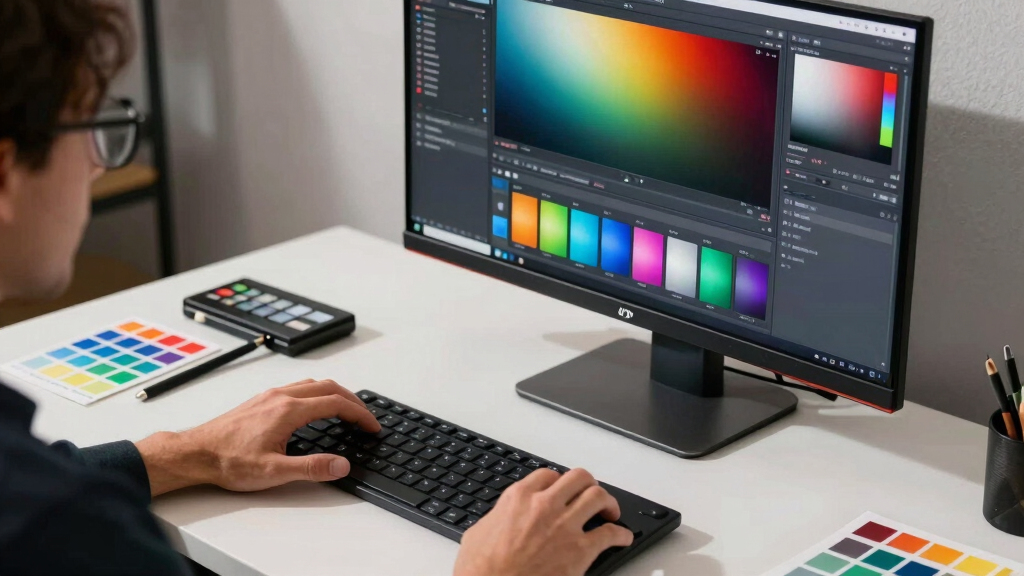
For anyone involved in photo or video editing, selecting the best color accurate monitor is essential for precise color reproduction. The right display can make a significant difference in your workflow, ensuring your edits look consistent across different devices and media. The Dell S2725QS stands out as an excellent overall choice, offering a strong balance of color accuracy and affordability. Meanwhile, the ASUS ProArt PA279CRV is ideal for professionals needing near-perfect color precision, and the BenQ MA270U provides great compatibility for Mac users. However, these options involve tradeoffs around price, calibration complexity, and feature sets. Continue reading for a detailed comparison to help you find the best fit for your editing needs.

Get art and craft supplies delivered free with Prime
- Fast, free delivery on millions of items
- Prime Video, Amazon Music and more included
- Member-only deals all year
Key Takeaways
- The top picks all feature high-coverage color gamuts like sRGB and DCI-P3, which are essential for accurate editing.
- Calman verification and ΔE ratings below 2 are key indicators of true color precision, and most premium options meet these standards.
- USB-C and power delivery features are common in professional monitors, adding convenience for users with laptops.
- Size and resolution vary widely; 27-inch 4K displays offer the best balance of workspace and pixel density for detailed editing.
- Price ranges span from budget-friendly to premium, highlighting that high color accuracy can be achieved at different budget levels with the right features.


More Details on Our Top Picks
BenQ MA270U 27” 4K 3840×2160 Monitor for MacBook® Pro/Air, Dual USB-C, 90W Power Delivery, Mac Color Match, USB Hub, Brightness & Volume Control on Mac
The BenQ MA270U stands out for its native Mac color calibration and simple single-cable connectivity, making it a top choice for MacBook owners who want accurate visuals without hassle. Compared to Dell S2725QS, it offers better Mac compatibility and a more refined color match, which is vital for creative work. While it delivers vivid 4K resolution and excellent build quality, its refresh rate is limited to 60Hz, so gamers might find it less ideal. The integrated speakers are a nice bonus, but they lack depth for serious audio needs. Overall, this monitor makes the most sense for Mac users who prioritize color fidelity and sleek design over high refresh rates or gaming features.
Pros:- Excellent native Mac color calibration for true color matching
- Single USB-C cable for video, power, and data simplifies desk setup
- Vivid 4K resolution with consistent color throughout the screen
Cons:- Limited to 60Hz refresh rate, not suitable for fast-paced gaming
- Speakers lack full sound depth, so external audio is recommended
- No height adjustment beyond tilt, which could affect ergonomics
Best for: MacBook users who need precise color accuracy and simple USB-C connectivity for professional work
Not ideal for: Gamers seeking high refresh rates or multitasking with multiple displays due to its 60Hz refresh rate and single-input focus
- Display Resolution:3840 x 2160
- Panel Type:IPS
- Connectivity:USB-C, HDMI
- Power Delivery:90W
- Color Gamut:99% sRGB
- Response Time:5ms
Bottom line: This monitor is ideal for Mac users prioritizing color accuracy and seamless integration over high refresh rates or gaming features.
ASUS ProArt Display PA247CV 24-inch Monitor – IPS, 1920 x 1080, 100% sRGB, 100% Rec. 709, ΔE < 2, Calman Verified, USB Hub, USB-C, Height Adjustable
The Dell S2725QS makes a compelling case as the best overall monitor for editing thanks to its 4K resolution, IPS panel, and 99% sRGB coverage. Compared to the BenQ MA270U, it offers a higher refresh rate of 120Hz, which benefits smoother motion handling, especially for video editing workflows involving fast movements. Its HDR readiness adds depth to visual editing, and the integrated speakers provide decent audio for casual use. However, its stand is less adjustable than some professional models, and the built-in sound isn’t suitable for critical audio work. This pick is perfect for professionals who want a versatile, color-accurate display that also doubles well for entertainment and casual gaming.
Pros:- High 120Hz refresh rate for smoother motion handling
- 99% sRGB coverage for accurate color representation
- HDR support enhances visual depth and contrast
Cons:- Limited height and tilt adjustments, impacting ergonomic comfort
- Speakers are basic and not suitable for critical audio work
- No daisy-chain support
Best for: Creative professionals seeking a versatile 4K monitor with high refresh rate and HDR support
Not ideal for: Purely audio-focused editing or gaming enthusiasts requiring ultra-high refresh rates over color accuracy
- Display Resolution:3840 x 2160
- Panel Type:IPS
- Contrast Ratio:1500:1
- Refresh Rate:120Hz
- Color Gamut:99% sRGB
- HDR:HDR Ready
Bottom line: This monitor balances high-resolution editing with smooth motion and HDR, making it ideal for multimedia professionals who also enjoy casual gaming.
LG 27US500-W Ultrafine Monitor 27-Inch 4K UHD (3840×2160) HDR10 IPS Borderless Design Reader Mode Flicker Safe Switch App HDMI DisplayPort – White
This LG model stands out for delivering stunning 4K UHD resolution with a 1000:1 contrast ratio, providing deeper blacks and vivid colors. Compared to the ASUS ProArt PA278CV, it offers a higher native resolution but slightly fewer calibration features, making it ideal for those who prioritize high detail and broad color spectrum (up to 90% DCI-P3). The wide viewing angles and borderless IPS panel support accurate color work across multiple angles, which is essential for editing. However, its response time of 5ms is not optimized for fast-paced gaming, and its brightness at 300 nits, while sufficient, isn’t as high as some professional displays. It makes the most sense for creative professionals who need sharp UHD visuals without the premium price of higher-caliber models like the ASUS ProArt HDR.
Pros:- Stunning 4K UHD resolution with crisp detail
- Wide DCI-P3 color spectrum up to 90%
- Borderless IPS panel with wide viewing angles
- Ergonomic stand for flexible positioning
Cons:- Response time of 5ms not ideal for high-speed gaming
- Brightness capped at 300 nits, less than some professional displays
- Limited calibration options compared to high-end models
Best for: Professional editors and digital artists seeking detailed 4K resolution with broad color range.
Not ideal for: Fast-paced gamers or users needing ultra-low latency for competitive play, as response time is moderate.
- Display Size:27 Inches
- Resolution:3840 x 2160
- Contrast Ratio:1000:1
- Refresh Rate:60 Hz
- Brightness:300 cd/m²
- Viewing Angle:170 Degrees
- Ports:HDMI, DisplayPort
Bottom line: This monitor is best suited for creative professionals who need detailed UHD visuals with accurate colors at a reasonable price.
ASUS ProArt Display PA278QV 27” WQHD (2560 x 1440) Monitor, 100% sRGB/Rec. 709 ΔE < 2, IPS, DisplayPort HDMI DVI-D Mini DP, Calman Verified, Eye Care, Anti-Glare, Tilt Pivot Swivel Height Adjustable
This Acer KB242Y offers a compelling mix of speed, affordability, and decent color accuracy. With a 23.8-inch IPS panel and 99% sRGB coverage, it provides reliable color fidelity suitable for general editing and multimedia consumption. Its 1ms response time and up to 120Hz refresh rate make it responsive enough for casual content creators and those working with fast-moving visuals. Designed as a secondary monitor, it pairs well with a higher-resolution primary display, like the LG 27US500-W, for reference and quick edits. The main tradeoffs are its Full HD resolution, which limits detailed editing, and brightness at 250 nits, which can be less vibrant in bright environments. It’s a practical choice for budget-conscious users who need decent color and speed.
Pros:- Fast 1ms response time and 120Hz refresh
- 99% sRGB coverage for accurate colors
- Affordable price for a 23.8-inch IPS monitor
- Vibrant, flicker-free display with adaptive sync
Cons:- Limited to Full HD resolution, less detail for high-res editing
- Brightness at 250 nits may appear dull in bright rooms
- VGA port included, but modern connectivity is limited
Best for: Budget-conscious content creators needing a secondary, fast, and color-accurate display.
Not ideal for: Professional editors working on high-resolution projects or color grading demanding 4K and wider color gamut.
- Display Size:23.8 Inches
- Resolution:1920 x 1080
- Color Gamut:sRGB 99%
- Contrast Ratio:100:1
- Refresh Rate:120 Hz
- Response Time:1ms VRB
- Ports:HDMI, VGA
Bottom line: A solid budget secondary monitor for users needing decent color and speed without the expense of high-end models.

How We Picked
The monitors in this roundup were selected based on their ability to deliver reliable color accuracy, measured by color gamut coverage, factory calibration, and ΔE ratings. We prioritized displays that are Calman verified or have similar calibration certifications, as these provide confidence in true color reproduction. Usability factors such as connectivity options, ergonomic features, and build quality were also considered, ensuring the monitors suit different workflows and setups. Price-to-performance ratios played a role, with a focus on models that offer excellent value without sacrificing essential color fidelity. The ranking reflects a combination of strict calibration standards, feature sets, and overall versatility for editing tasks.Factors to Consider When Choosing Best Color Accurate Monitor For Editing
Choosing the right color accurate monitor involves more than just looking at specs on paper. Considering factors like color gamut coverage, calibration needs, and connectivity can dramatically influence your editing experience. It’s also important to match your monitor to your specific workflow, whether you’re a professional photographer, videographer, or hobbyist. Balancing budget with performance is key, as higher accuracy often comes with a higher price point. Here are some critical considerations to keep in mind when selecting your ideal editing display.Color Gamut and Calibration
Look for monitors that cover at least 99% sRGB and ideally 95% DCI-P3 or Adobe RGB for professional editing. Factory calibration and certifications like Calman Verified or ΔE < 2 ensure that the display’s colors are accurate out of the box, reducing the need for extensive manual calibration. Keep in mind that a wider color gamut is beneficial but also requires compatible editing software and workflows to leverage effectively. Investing in a monitor with good calibration tools or hardware calibration support can save time and improve results over time.
Resolution and Screen Size
For editing, a 27-inch 4K display strikes a balance between workspace and pixel density, allowing precise detail work without overwhelming your desk. Larger or higher-resolution screens can increase productivity but may also require more powerful hardware to drive them effectively. Smaller monitors or lower resolutions are more budget-friendly but can limit your editing precision. Always match your display resolution with your hardware capabilities and your specific editing needs to avoid frustration.
Connectivity and Ergonomics
Modern editing monitors should include versatile connectivity options like USB-C, HDMI, and DisplayPort to streamline your workflow. USB-C with power delivery can reduce cable clutter by powering your laptop directly from the monitor. Ergonomic features such as height adjustment, tilt, swivel, and pivot are vital for comfortable long editing sessions. Consider these factors carefully, especially if you spend hours in front of your display, to prevent fatigue and maintain productivity.
Price and Calibration Needs
While high-end monitors with near-perfect color accuracy can be expensive, there are more affordable models that still deliver impressive results, especially if paired with proper calibration tools. Be wary of cheap displays with claimed high color accuracy—these often fall short out of the box. Investing in a quality monitor with calibration support can be more cost-effective long-term, reducing the need for external calibration devices or professional calibration services. Decide your budget based on how critical color precision is to your work.
Additional Features
Features like HDR support, anti-glare coatings, and flicker-free technology enhance the overall editing experience. While not directly related to color accuracy, they contribute to better visibility, reduced eye strain, and improved workflow comfort. Consider which secondary features complement your primary needs, especially if you work in varying lighting conditions or require specific display qualities for your projects.
Frequently Asked Questions
Do I need a calibrated monitor for professional editing?
Yes, a calibrated monitor provides consistent and accurate colors, which are essential for professional editing. Factory calibration and certifications like Calman Verified give you confidence that the colors are true-to-life, reducing discrepancies across different devices and media. Regular calibration, either manually or with hardware tools, helps maintain this accuracy over time, ensuring your work remains precise and trustworthy.
Can I use a consumer-grade monitor for color grading?
While some consumer-grade monitors claim high color accuracy, they often lack the calibration standards or wide color gamuts needed for professional editing. For color grading or critical work, it’s better to choose a display designed for professional use, with verified calibration and comprehensive color coverage. Using a consumer monitor might lead to inaccurate color representation, which can compromise your final output.
How important is a wide color gamut for editing?
Having a wide color gamut, such as 99% DCI-P3 or Adobe RGB, allows your monitor to display more colors, which is crucial for high-quality editing, especially for video and photo work. It ensures your edits accurately reflect how media will appear on different devices and platforms. However, ensure your editing software and workflow support these color spaces to fully benefit from the wider gamut.
Is HDR support necessary for editing monitors?
HDR support isn’t essential for basic editing but can be valuable for video production and color grading that involves high dynamic range content. It enhances contrast and color depth, providing a more lifelike picture during editing. For most standard editing workflows focused on color accuracy, HDR is a secondary feature, but it’s worth considering if your projects involve HDR content creation.
Should I prioritize size or resolution when choosing a monitor?
For editing, a 27-inch 4K display offers a good balance of screen real estate and pixel density, making it easier to see fine details without overwhelming your workspace. Larger screens can improve productivity but may require more powerful hardware. Conversely, smaller or lower-resolution monitors are more affordable but limit workspace and detail. Choose based on your available space, hardware capabilities, and the level of detail required in your projects.
Conclusion
For demanding professional editors, the ASUS ProArt PA279CRV stands out as the best overall choice thanks to its near-perfect color accuracy, wide color gamut, and factory calibration. The Dell S2725QS offers excellent value for those who need a reliable 4K display without a hefty price tag, making it ideal for serious hobbyists or semi-professionals. Budget-conscious buyers or beginners might consider the ASUS ProArt PA248QV, which provides solid color accuracy and ergonomic features at a more accessible price. For specialized needs such as HDR video editing, a monitor with HDR support should be prioritized. Ultimately, your choice should align with your specific workflow, budget, and accuracy requirements.Halloween Picks
halloween
As an affiliate, we earn on qualifying purchases.