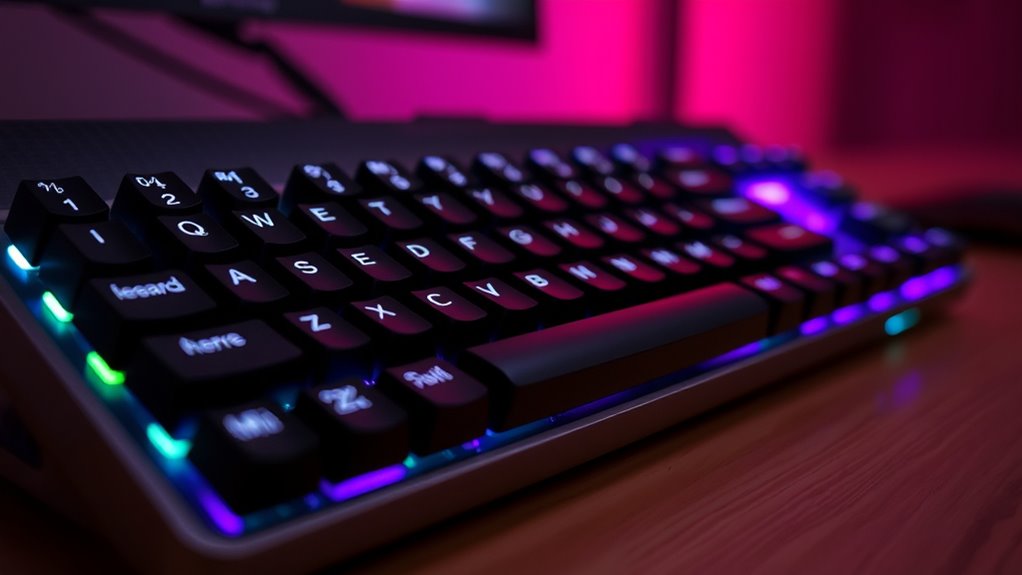

The best mechanical keyboards for typing balance a comfortable layout, dependable switches, and useful features without adding distractions. I’d start with the AULA F75 Pro for its compact 75% layout, wireless options, and hot-swappable switches; the Keychron C2 is a stronger fit if you want a familiar full-size board, while the Logitech Alto Keys K98M stands out as a wireless gasket-style alternative. The main tradeoffs are compactness versus dedicated keys, wired simplicity versus wireless flexibility, and quieter switch choices versus more audible feedback. Build, keycap feel, and the ability to change switches also affect how well a keyboard suits long work sessions. Read on for the full breakdown and a guide to choosing the right typing setup.

Get art and craft supplies delivered free with Prime
- Fast, free delivery on millions of items
- Prime Video, Amazon Music and more included
- Member-only deals all year
Key Takeaways
- The AULA F75 Pro leads for all-around typing flexibility: its 75% layout keeps the function row and arrows while freeing desk space, and hot-swap support leaves room to change switches.
- Full-size boards remain the simplest choice for number-heavy work: the Keychron C2 and Redragon K668 keep a dedicated number pad, unlike the smaller 75% and 96% options.
- Wireless models serve different desk needs: the AULA F99 offers a near-full-size layout with tri-mode connections, while the Kisnt KN85 pairs a compact layout with wireless connectivity.
- Hot-swap support is a practical differentiator: several AULA, Redragon, and RK models let buyers change compatible switches without replacing the whole keyboard.
- Typing comfort depends on fit, not gaming features alone: knobs, RGB lighting, and macro keys can be useful extras, but layout, switch feel, and noise matter more during long writing sessions.
| AULA F75 Pro Wireless Mechanical Keyboard, 75% Hot Swappable RGB Backlit Gaming Keyboard with Knob and PBT Side-Printed Keycaps |  | Best Compact Wireless Pick | Layout: 75%, 81 keys | Connectivity: Bluetooth 5.0, 2.4GHz, USB-C | Switches: Pre-lubed Reaper switches; hot-swappable 3-pin/5-pin | VIEW ON AMAZON | See Our Full Breakdown |
| Redragon K768 PRO Wireless 100-Key Gasket Gaming Keyboard |  | Best Wireless Typing Comfort | Layout: 95%, 100 keys | Connectivity: USB-C, Bluetooth, 2.4GHz | Mount and dampening: Gasket mount with five layers of noise dampening | VIEW ON AMAZON | See Our Full Breakdown |
| RK ROYAL KLUDGE R98 Pro Wired Mechanical Keyboard |  | Best Wired Gasket-Mount Typing Feel | Layout: 96%, 98 keys | Connectivity: Wired | Mount: Gasket mount with five sound-absorbing foam layers | VIEW ON AMAZON | See Our Full Breakdown |
| Redragon K668 108-Key Hot-Swap Wired RGB Gaming Keyboard |  | Best Full-Size Typing Pick | Layout: Full size, 108 keys | Connectivity: Wired | Switch compatibility: Hot-swappable 3-pin or 5-pin switches | VIEW ON AMAZON | See Our Full Breakdown |
| Redragon Mechanical Gaming Keyboard Wired, 11 Backlit Modes, Hot-Swappable Red Switch, Anti-Ghosting, Double-Shot PBT Keycaps |  | Best Simple Linear-Switch Full-Size Pick | Layout: QWERTY, 104 keys | Connectivity: Wired | Switches: Linear Cherry MX Red, hot-swappable | VIEW ON AMAZON | See Our Full Breakdown |
| AULA F99 Wireless Mechanical Keyboard |  | Best for Multi-Device Typing | Layout: 96%, 99 keys | Connectivity: Bluetooth 5.0, 2.4GHz, USB-C | Switches: Pre-lubed linear, hot-swappable | VIEW ON AMAZON | See Our Full Breakdown |
| Logitech Alto Keys K98M Wireless Mechanical Gasket Keyboard – Graphite |  | Best for a Clicky Wireless Numpad | Layout: 98-key compact layout with numpad | Connectivity: Bluetooth Low Energy, Logi Bolt USB receiver | Switches: Hot-swappable Marble switches | VIEW ON AMAZON | See Our Full Breakdown |
| RK Royal Kludge R75 Wired Mechanical Gaming Keyboard with Volume Knob |  | Best Compact Desk Typing Pick | Layout: 75%, 81 keys | Connectivity: USB-C wired | Switches: Silver linear, hot-swappable | VIEW ON AMAZON | See Our Full Breakdown |
| Redragon K580 Wired RGB Mechanical Gaming Keyboard with Macro Keys and Media Wheel |  | Best for Dedicated Controls | Layout: Full-size QWERTY, 104 keys | Connectivity: Wired USB-C | Switches: Outemu Blue clicky, hot-swappable | VIEW ON AMAZON | See Our Full Breakdown |
| Keychron C2 Full Size Wired Mechanical Keyboard, Brown Switch, Retro |  | Best for Straightforward Tactile Typing | Layout: Full-size, 104 keys | Switches: Brown tactile | Connection: USB-C wired | VIEW ON AMAZON | See Our Full Breakdown |
| AULA F2088 Typewriter Style Mechanical Gaming Keyboard |  | Best for a Retro Typing Feel | Switch type: Blue, clicky | Key count and layout: 104 keys, QWERTY | Connectivity: USB wired | VIEW ON AMAZON | See Our Full Breakdown |
| RisoPhy Mechanical Gaming Keyboard with Blue Switches, RGB Backlit, 104 Keys |  | Best Spill-Resistant Full-Size Pick | Switch type: Blue, clicky | Key count and layout: 104 keys, full-size | Connectivity: USB wired | VIEW ON AMAZON | See Our Full Breakdown |
| Kisnt KN85 Wireless Mechanical Keyboard, 75% Layout, Bluetooth/2.4GHz/USB-C, Custom RGB Backlit, Hot-Swappable Linear Switch, Retro Beige |  | Best Compact Wireless Typing Pick | Layout and key count: 75%, 85 keys | Connectivity: Bluetooth 5.0, 2.4GHz wireless, USB-C | Switch type: Pre-lubed linear, hot-swappable | VIEW ON AMAZON | See Our Full Breakdown |
| mechanical keyboards for typing | Backlighting | Connectivity | Compatibility | Layout |
|---|---|---|---|---|
| AULA F75 Pro Wireless Mechanic | RGB, 16.8 million colors, 16 preset effects | Bluetooth 5.0, 2.4GHz, USB-C | PC, laptops, tablets, smartphones, gaming consoles | 75%, 81 keys |
| Redragon K768 PRO Wireless 100 | RGB | USB-C, Bluetooth, 2.4GHz | PC, laptop, tablet | 95%, 100 keys |
| RK ROYAL KLUDGE R98 Pro Wired | RGB | Wired | Windows, macOS | 96%, 98 keys |
| Redragon K668 108-Key Hot-Swap | RGB with 19 preset modes | Wired | — | Full size, 108 keys |
| Redragon Mechanical Gaming Key | RGB with 11 backlight modes | Wired | Windows | QWERTY, 104 keys |
| AULA F99 Wireless Mechanical K | RGB, 16 effects | Bluetooth 5.0, 2.4GHz, USB-C | — | 96%, 99 keys |
| Logitech Alto Keys K98M Wirele | White | Bluetooth Low Energy, Logi Bolt USB receiver | Windows, macOS | 98-key compact layout with numpad |
| RK Royal Kludge R75 Wired Mech | RGB with 18 modes and 8 monochrome options | USB-C wired | Windows | 75%, 81 keys |
| Redragon K580 Wired RGB Mechan | RGB | Wired USB-C | Linux, macOS, Windows | Full-size QWERTY, 104 keys |
| Keychron C2 Full Size Wired Me | None | — | Mac and Windows | Full-size, 104 keys |
| AULA F2088 Typewriter Style Me | RGB with 19 effects and customization | USB wired | Windows, Mac, Linux, ChromeOS | — |
| RisoPhy Mechanical Gaming Keyb | RGB with 9 modes and 5 brightness levels | USB wired | Windows, Mac, Xbox | — |
| Kisnt KN85 Wireless Mechanical | Customizable RGB | Bluetooth 5.0, 2.4GHz wireless, USB-C | Windows, Mac, Android, Linux, gaming consoles | — |
More Details on Our Top Picks
AULA F75 Pro Wireless Mechanical Keyboard, 75% Hot Swappable RGB Backlit Gaming Keyboard with Knob and PBT Side-Printed Keycaps
The AULA F75 Pro suits typists who want a smaller desk footprint without giving up wireless flexibility. Its 75% layout keeps the function row and arrow keys while trimming the number pad, and Bluetooth, 2.4GHz, and USB-C let me use it with different devices or at a fixed desk. Compared with the larger Redragon K768 PRO, it saves space and is easier to move between setups, but the K768 PRO retains more keys and has a larger stated battery. The F75 Pro’s hot-swappable switches make later changes possible, while the knob offers quick volume or lighting control. The tradeoff is a denser feature set that may take time to configure, plus the compact layout can slow workflows that rely on a number pad.
Pros:- Bluetooth, 2.4GHz, and USB-C support flexible device and desk setups.
- 75% layout keeps arrow keys and the function row while using less space than a full-size board.
- Hot-swappable sockets support compatible 3-pin and 5-pin switches.
- PBT keycaps and a multifunction knob add durable touchpoints and quick volume or lighting control.
Cons:- The 81-key layout lacks a number pad for frequent numeric entry.
- The extensive connectivity and customization options may take extra setup for first-time mechanical-keyboard owners.
- Battery life is not specified and may vary with wireless and RGB use.
Best for: Desk-limited typists who want a wireless board for switching among a computer, tablet, or phone and do not need a number pad.
Not ideal for: Data-entry users and beginners seeking a simple full-size keyboard; the 81-key layout omits the number pad and its many customization features can add setup complexity.
- Layout:75%, 81 keys
- Connectivity:Bluetooth 5.0, 2.4GHz, USB-C
- Switches:Pre-lubed Reaper switches; hot-swappable 3-pin/5-pin
- Keycaps:Side-printed PBT, double-injection molding
- Backlighting:RGB, 16.8 million colors, 16 preset effects
- Battery:4000mAh
- Additional controls:Multifunction knob and programmable keys
- Compatibility:PC, laptops, tablets, smartphones, gaming consoles
Our verdict“Choose the F75 Pro if you want a compact, multi-device typing board with switch customization; skip it if you need a number pad or the simplest possible setup.”
Redragon K768 PRO Wireless 100-Key Gasket Gaming Keyboard
For typists who want a softer, more muted feel across a near-full layout, the Redragon K768 PRO stands out for its gasket mount and five-layer noise dampening. Those layers are intended to soften the keystroke sound and feel, making this a better fit for shared rooms than a more exposed, conventional design. Its 100 keys preserve much of a full-size workflow, while tri-mode connectivity and an 8000mAh battery reduce the need to stay tethered. Compared with the wired RK Royal Kludge R98 Pro, the K768 PRO is easier to place and use across devices, though both offer a damped gasket-style typing approach. The K768 PRO’s tradeoffs are its substantial footprint and plastic enclosure, which may feel less refined than a metal-bodied board.
Pros:- Gasket mount and five dampening layers are designed to soften typing feel and sound.
- Tri-mode USB-C, Bluetooth, and 2.4GHz connectivity supports varied desk and device setups.
- 8000mAh battery offers substantial stated capacity for wireless use.
- Hot-swappable linear switches and PBT keycaps support customization and durable everyday contact.
Cons:- The 100-key layout occupies more space than compact options such as the AULA F75 Pro.
- Plastic enclosure materials may feel less premium than an aluminum build.
- Linear switches may not suit typists who prefer a tactile bump or audible click.
Best for: Wireless typists who want a soft, quieter-feeling board with most of a full-size layout and a number-entry-friendly key arrangement.
Not ideal for: Minimalist desk setups or buyers seeking an aluminum enclosure; its 100-key layout still takes up considerable space and its case uses plastic materials.
- Layout:95%, 100 keys
- Connectivity:USB-C, Bluetooth, 2.4GHz
- Mount and dampening:Gasket mount with five layers of noise dampening
- Switches:Custom linear, hot-swappable 3-pin/5-pin
- Keycaps:PBT round keycaps
- Battery:8000mAh
- Backlighting:RGB
- Compatibility:PC, laptop, tablet
Our verdict“Pick the K768 PRO if you want wireless convenience and a damped, full-workflow typing layout, but look elsewhere if desk space or a metal case matters most.”
RK ROYAL KLUDGE R98 Pro Wired Mechanical Keyboard
The RK ROYAL KLUDGE R98 Pro is a focused choice for typists who value a cushioned, acoustically softened feel more than wireless convenience. Its gasket mount and five foam layers are intended to reduce harshness under the keys, while pre-lubed linear switches offer a smooth press without a tactile bump. The 96% layout packs 98 keys into less space than a conventional full-size board, keeping a number pad for work that needs it. Compared with the wireless Redragon K768 PRO, the R98 Pro gives up device flexibility but includes a detachable aluminum volume knob and a more compact key arrangement. Its wired-only connection is a clear limitation for mobile setups, and users who prefer tactile feedback may find the linear switches less suitable for long typing sessions.
Pros:- Gasket mount and five sound-absorbing foam layers aim for a softer, less sharp typing response.
- The 96% layout retains 98 keys, including a number pad, in a more compact arrangement than full size.
- Hot-swappable pre-lubed linear switches allow compatible switch changes.
- MDA-profile double-shot PBT keycaps and a detachable aluminum volume knob add useful durability and control.
Cons:- Wired-only connectivity limits portability and multi-device use.
- Linear switches lack the tactile bump some typists use for keystroke feedback.
- The 98-key footprint is still larger than compact 75% options such as the AULA F75 Pro.
Best for: Desk-based typists who need a number pad and want a damped, smooth-feeling wired keyboard with switch customization.
Not ideal for: People who regularly move between devices or prefer tactile, clicky switches; this model is wired-only and comes with linear switches.
- Layout:96%, 98 keys
- Connectivity:Wired
- Mount:Gasket mount with five sound-absorbing foam layers
- Switches:Pre-lubed linear Cream, hot-swappable 3-pin/5-pin
- Keycaps:MDA-profile, double-shot PBT
- Controls:Detachable aluminum volume knob
- Backlighting:RGB
- Compatibility:Windows, macOS
Our verdict“Choose the R98 Pro for a wired, number-pad-equipped typing setup with a damped linear feel, but skip it if you need wireless use or tactile switches.”
Redragon K668 108-Key Hot-Swap Wired RGB Gaming Keyboard
The Redragon K668 makes the most sense for typists who want a familiar full-size layout, extra shortcut keys, and room to change switches later. Its 108 keys include four dedicated hotkeys, while anti-ghosting supports registering multiple presses without dropping inputs. That broader layout is more suited to number-heavy work than the compact AULA F75 Pro, which saves desk space but leaves out a number pad. The K668 also includes adjustable feet and two keycap sets, giving buyers some control over typing angle and appearance. The compromise is a wired-only connection and stock switches that may not match every preference. Its feature set is practical rather than focused on damped acoustics, so typists seeking a softer gasket-mounted feel should compare it with the RK Royal Kludge R98 Pro.
Pros:- Full-size 108-key layout retains the number pad for data entry and spreadsheet work.
- Four extra hotkeys provide dedicated shortcuts without relying on layered commands.
- Hot-swappable sockets accept compatible 3-pin and 5-pin switches.
- Adjustable feet, two keycap sets, and configurable RGB offer practical setup choices.
Cons:- Wired-only connectivity does not suit portable or cable-free setups.
- The stock switches may not match every typist’s preferred feel or sound.
- Its full-size footprint is less suitable for desks where compact boards such as the AULA F75 Pro fit better.
Best for: Typists who use a number pad and dedicated shortcuts, want a wired full-size layout, and may customize switches later.
Not ideal for: Wireless users, compact-desk owners, or typists specifically seeking a gasket-mounted and damped typing feel.
- Layout:Full size, 108 keys
- Connectivity:Wired
- Switch compatibility:Hot-swappable 3-pin or 5-pin switches
- Hotkeys:Four extra hotkeys
- Backlighting:RGB with 19 preset modes
- Keycap sets:Two sets included
- Typing features:Anti-ghosting and macro programming
- Ergonomics:Adjustable feet
Our verdict“Choose the K668 if you want a straightforward wired full-size board with shortcut keys and future switch options, not a compact or wireless typing setup.”
Redragon Mechanical Gaming Keyboard Wired, 11 Backlit Modes, Hot-Swappable Red Switch, Anti-Ghosting, Double-Shot PBT Keycaps
This 104-key Redragon is a practical fit for typists who want a conventional full-size board with smooth linear switches and durable keycaps, without prioritizing wireless features or a compact shape. Its stated Cherry MX Red linear switches are intended to move without a tactile bump, while hot-swappable support leaves room to try compatible alternatives. Double-shot PBT keycaps are built for regular contact, and anti-ghosting supports simultaneous key presses. Compared with the feature-heavy Redragon K668, this model offers fewer stated dedicated controls but keeps a familiar 104-key layout and 11 backlight modes. It remains a wired board, and the listing says the lighting color cannot be changed through hardware; Windows-focused compatibility may also rule it out for some mixed-device households.
Pros:- 104-key layout includes a number pad for work involving frequent numeric entry.
- Linear hot-swappable switches support a smooth keystroke style and compatible switch changes.
- Double-shot PBT keycaps are suited to regular typing and resist surface wear better than basic ABS caps.
- Anti-ghosting and macro editing support simultaneous inputs and personalized commands.
Cons:- Wired connectivity limits placement flexibility and mobile use.
- The listing specifies Windows compatibility, limiting its appeal for other operating systems.
- Backlight color cannot be changed through hardware, reducing quick lighting customization.
Best for: Windows typists who want a wired full-size layout, prefer smooth linear switches, and value PBT keycaps over wireless convenience.
Not ideal for: Mac-focused users, wireless setups, or typists who want tactile feedback and straightforward hardware control over lighting color.
- Layout:QWERTY, 104 keys
- Connectivity:Wired
- Switches:Linear Cherry MX Red, hot-swappable
- Keycaps:Double-shot PBT
- Backlighting:RGB with 11 backlight modes
- Typing features:Anti-ghosting and macro editing
- Compatibility:Windows
- Water resistance:Listed as water resistant
Our verdict“Pick this Redragon if you want a wired Windows board with a full-size layout and linear switches, but skip it if you need wireless use or tactile feedback.”
AULA F99 Wireless Mechanical Keyboard
The AULA F99 suits typists who move between a computer, tablet, and other compatible devices without wanting separate keyboards. Its Bluetooth, 2.4GHz, and USB-C connections offer more flexibility than the wired-only Keychron C2, while its 99-key 96% layout keeps a number pad close at hand. Pre-lubed linear switches favor smooth, uninterrupted key presses over the more pronounced tactile feedback of the C2’s brown switches. Hot-swappable sockets make switch changes possible later, though the available macro and lighting customization may take extra setup through the driver. The 8000mAh battery supports cable-free use, but the F99 takes up more space than compact 75% options. Choose it for adaptable desk typing, not for a minimal footprint or a plug-and-play customization experience.
Pros:- Bluetooth, 2.4GHz, and USB-C offer flexible ways to connect.
- The 96% layout retains a number pad in a more compact footprint than a full-size board.
- Pre-lubed linear switches provide smooth key presses for sustained typing.
- Hot-swappable switches and an 8000mAh battery support customization and wireless use.
Cons:- The 99-key layout may still feel bulky beside 75% keyboards.
- Advanced lighting and macro customization requires driver setup.
- Linear switches provide less tactile feedback than the Keychron C2’s brown switches.
Best for: Typists who regularly switch among a computer, tablet, and other compatible devices and want a number pad without a full-size layout.
Not ideal for: Minimalist desk users who want a small keyboard, or typists who prefer tactile feedback and simple customization without driver setup.
- Layout:96%, 99 keys
- Connectivity:Bluetooth 5.0, 2.4GHz, USB-C
- Switches:Pre-lubed linear, hot-swappable
- Keycaps:Double-shot PBT
- Backlighting:RGB, 16 effects
- Battery:8000mAh rechargeable
- Typing features:Macro customization, N-key rollover
Our verdict“Choose the AULA F99 if multi-device connectivity and a compact number pad matter more than a small footprint or tactile switches.”
Logitech Alto Keys K98M Wireless Mechanical Gasket Keyboard – Graphite
The Logitech Alto Keys K98M is the clearest fit here for typists who want a clicky feel, wireless connectivity, and a numpad in one board. Its 98-key layout takes less desk space than the full-size Redragon K580 while keeping number entry convenient. The gasket mount is designed to soften vibration, giving its Marble switches a more cushioned character than the K580’s Outemu Blue clicky switches. Bluetooth and Logi Bolt support wireless desk setups, and the stated battery life of up to 12 months reduces charging interruptions. The tradeoff is that the click is still likely to carry in a shared workspace, and the white backlight lacks the RGB customization found on the AULA F99 and Redragon K580. Pick this for a tidy office setup, not for quiet typing or lighting effects.
Pros:- The 98-key layout keeps a numpad while occupying less space than a full-size keyboard.
- Bluetooth and Logi Bolt provide wireless connection options.
- Gasket mounting is designed to reduce vibration from typing.
- Hot-swappable switches allow later changes to the typing feel.
Cons:- Clicky switches may be distracting in shared offices or quiet spaces.
- White backlighting offers less customization than the RGB AULA F99.
- Wireless operation depends on battery power rather than a permanently wired connection.
Best for: Wireless typists who want a compact numpad layout, a distinct clicky keystroke, and compatibility with Windows or macOS.
Not ideal for: People typing near colleagues or in quiet rooms, and buyers who want RGB lighting or a quieter switch feel.
- Layout:98-key compact layout with numpad
- Connectivity:Bluetooth Low Energy, Logi Bolt USB receiver
- Switches:Hot-swappable Marble switches
- Mount:UniCushion gasket mount
- Backlighting:White
- Battery life:Up to 12 months
- Compatibility:Windows, macOS
- Charging:USB-C
Our verdict“Choose the K98M for wireless, clicky typing with a numpad, but skip it if quiet keystrokes or RGB lighting are priorities.”
RK Royal Kludge R75 Wired Mechanical Gaming Keyboard with Volume Knob
For a typing setup that needs room for a mouse or notebook, the RK Royal Kludge R75 offers a useful middle ground: its 75% layout keeps the main typing cluster and function row while trimming keys found on the full-size Keychron C2. The linear silver switches are suited to smooth, quick presses, while the MDA-profile PBT caps and sound-absorbing layers give it a more substantial setup than a basic compact board. A volume knob makes audio adjustments easy without leaving the keyboard. Compared with the wireless AULA F99, the R75 saves more desk space but gives up wireless connectivity and a numpad. It is also specified for Windows, which makes it a less flexible choice for mixed-device or Mac households. Its compactness is the advantage; the narrower layout asks typists to use a separate number pad if they enter figures often.
Pros:- The 75% layout preserves a function row while freeing more desk space than full-size boards.
- Linear silver switches support smooth, quick key presses.
- PBT keycaps and sound-absorbing layers add a more substantial typing setup.
- A built-in volume knob offers direct audio adjustment.
Cons:- The wired USB-C connection does not offer the wireless flexibility of the AULA F99 or Logitech K98M.
- The 81-key layout has no numpad, which can slow frequent numeric entry.
- Listed compatibility is limited to Windows, and the keyboard is not water resistant.
Best for: Windows users with limited desk space who mainly type in the standard key area and want a physical volume control.
Not ideal for: Mac users, frequent number-pad typists, or anyone who needs wireless connections or water resistance.
- Layout:75%, 81 keys
- Connectivity:USB-C wired
- Switches:Silver linear, hot-swappable
- Keycaps:Doubleshot PBT, MDA profile
- Backlighting:RGB with 18 modes and 8 monochrome options
- Additional controls:Volume knob
- Compatibility:Windows
- Water resistance:Not water resistant
Our verdict“Choose the R75 if you want a compact wired typing layout with linear switches and a volume knob, and do not need a numpad.”
Redragon K580 Wired RGB Mechanical Gaming Keyboard with Macro Keys and Media Wheel
The Redragon K580 prioritizes direct control over a compact typing footprint. Its full-size 104-key layout keeps the number pad, while five programmable macro keys, media buttons, and a volume roller give frequent shortcuts their own dedicated controls. That can suit writers or office users who assign repeated commands, though the gaming-oriented feature set takes more desk space than the RK Royal Kludge R75. Its Outemu Blue clicky switches provide audible and tactile feedback, unlike the quieter linear-style feel offered by the AULA F99’s switches; that feedback may help some typists register presses, but it can be disruptive nearby. Hot-swappable switches allow changes, and the product data lists Linux, macOS, and Windows compatibility. The K580 is wired and bulky, so it makes more sense for a fixed workstation than a flexible or quiet typing setup.
Pros:- A full-size 104-key layout includes a number pad.
- Five macro keys and dedicated media controls provide direct shortcuts.
- Hot-swappable switches allow changes without soldering.
- The listed compatibility spans Linux, macOS, and Windows.
Cons:- Clicky Outemu Blue switches can be loud during sustained typing.
- The full-size layout and dedicated controls take more room than the RK Royal Kludge R75.
- The wired connection is less convenient for moving between devices or workspaces.
Best for: Desk-based typists who use programmable shortcuts and media controls, want a full-size layout, and prefer clicky feedback.
Not ideal for: People in shared or quiet workspaces, users with small desks, or anyone seeking wireless portability.
- Layout:Full-size QWERTY, 104 keys
- Connectivity:Wired USB-C
- Switches:Outemu Blue clicky, hot-swappable
- Backlighting:RGB
- Controls:Five programmable macro keys, media keys, volume roller
- Anti-ghosting:Full anti-ghosting
- Compatibility:Linux, macOS, Windows
- Water resistance:Listed as water resistant
Our verdict“Choose the K580 if dedicated shortcuts and clicky full-size typing matter more than a quiet, compact, or wireless setup.”
Keychron C2 Full Size Wired Mechanical Keyboard, Brown Switch, Retro
The Keychron C2 is the straightforward choice for typists who want a conventional full-size layout and tactile feedback without wireless features or lighting controls. Its brown switches offer a tactile alternative to the smooth linear action of the AULA F99 and RK Royal Kludge R75, making keystrokes feel more distinct without choosing the K580’s explicitly clicky Outemu Blue switches. The 104-key layout includes a number pad and multimedia keys, while Mac and Windows support, included alternate keycaps, and adjustable feet make it adaptable to common desk setups. Compared with the wireless Logitech K98M, the C2 trades cable-free placement for a direct USB-C connection. There is no backlighting, and the product description positions it for office use and light gaming rather than a feature-heavy gaming setup. It is a fit for dependable desk typing, not a portable or illuminated board.
Pros:- The full-size 104-key layout includes a numpad for frequent number entry.
- Brown switches provide tactile feedback without the K580’s explicitly clicky switch type.
- Mac and Windows support includes alternate keycaps for each platform.
- Adjustable feet offer two typing-angle settings.
Cons:- No backlighting is listed, which may be inconvenient in dim workspaces.
- The wired USB-C connection lacks the wireless options available on the Logitech K98M and AULA F99.
- The full-size layout uses more desk space than the RK Royal Kludge R75.
Best for: Office typists who want a wired full-size keyboard with tactile switches, a number pad, and keycaps for Mac or Windows.
Not ideal for: Buyers who need wireless use, backlighting, a compact layout, or a more gaming-focused feature set.
- Layout:Full-size, 104 keys
- Switches:Brown tactile
- Connection:USB-C wired
- Backlighting:None
- Compatibility:Mac and Windows
- Keycaps:Retro color keycaps; additional Mac and Windows keycaps included
- Adjustable feet:6° and 9°
Our verdict“Choose the Keychron C2 for uncomplicated, tactile full-size typing at a fixed desk, but skip it if wireless use or backlighting is a must.”
AULA F2088 Typewriter Style Mechanical Gaming Keyboard
The F2088 is the distinctive pick for typists who want a full-size layout with a typewriter-inspired look and audible, tactile feedback. Its round double-shot keycaps and clicky blue switches make each keystroke feel pronounced, but that sound can carry across a shared room. The media and lighting knob keeps common adjustments within easy reach, while the magnetic wrist rest adds support during longer sessions. Compared with the Keychron C2, another wired full-size option in this roundup, the F2088 puts more emphasis on its retro styling and included wrist rest; it is a poor fit for anyone seeking quieter typing. The aluminum panel adds a sturdier base, but the wired connection and lack of water resistance limit placement flexibility and spill protection.
Pros:- Round double-shot keycaps give the keyboard a distinctive retro appearance.
- Clicky blue switches provide clear audible and tactile keystroke feedback.
- Dedicated knob adjusts media and backlighting without relying on key combinations.
- Aluminum alloy panel and magnetic wrist rest add a sturdy base and support.
Cons:- Clicky switches can distract nearby coworkers or household members.
- USB wired connectivity limits placement flexibility.
- Not water-resistant, so spills can put the keyboard at risk.
Best for: Full-size typists who enjoy a typewriter-inspired design, audible clicky feedback, and a dedicated media control.
Not ideal for: People typing in quiet offices or shared rooms, or anyone who needs a wireless keyboard or spill protection.
- Switch type:Blue, clicky
- Key count and layout:104 keys, QWERTY
- Connectivity:USB wired
- Backlighting:RGB with 19 effects and customization
- Materials:Aluminum alloy panel and ABS keycaps
- Dimensions:17.13 × 4.84 × 1.5 inches
- Compatibility:Windows, Mac, Linux, ChromeOS
- Additional features:Media control knob, magnetic wrist rest, anti-ghosting
Our verdict“Choose the F2088 for full-size typing with conspicuous clicky feedback and retro styling, but skip it if noise or desk mobility matters more.”
RisoPhy Mechanical Gaming Keyboard with Blue Switches, RGB Backlit, 104 Keys
For typists who want a conventional full-size board and clicky feedback without paying for a more elaborate design, the RisoPhy keeps its appeal practical: 104 keys, adjustable feet, multimedia keys, and drainage holes intended to help with spills. Its blue switches deliver a crisp, audible response much like the AULA F2088, so neither is a quiet-room choice. The RisoPhy’s advantage is its spill-resistant construction; the AULA instead adds a media knob, aluminum panel, and magnetic wrist rest for a more styled, supported setup. Nine lighting modes and five brightness levels offer some adjustment without making lighting the main attraction. The tradeoffs are a fixed USB connection and click noise, while its Windows, Mac, and Xbox compatibility makes it a straightforward option for buyers who do not need wireless pairing.
Pros:- Drainage holes and a spill-resistant design offer more spill protection than the AULA F2088.
- Full-size 104-key layout retains a dedicated number pad.
- Adjustable kickstands let users change the typing angle.
- Double-injection ABS keycaps and a supplied keycap puller support cleaning and upkeep.
Cons:- Blue switches produce noise that can bother people nearby.
- USB wired connectivity restricts placement compared with wireless options such as the Kisnt KN85.
- Its feature set is less suited to buyers seeking a wrist rest or dedicated control knob.
Best for: Typists who want a full-size clicky keyboard for a home desk where occasional small spills are a concern.
Not ideal for: Quiet-office users and people who need wireless placement or quieter switches for shared spaces.
- Switch type:Blue, clicky
- Key count and layout:104 keys, full-size
- Connectivity:USB wired
- Backlighting:RGB with 9 modes and 5 brightness levels
- Keycaps:Double-injection ABS
- Keystroke life:Up to 50 million keystrokes
- Compatibility:Windows, Mac, Xbox
- Additional features:Spill-resistant design, anti-ghosting, Win Lock, multimedia keys, adjustable kickstands
Our verdict“Pick the RisoPhy for a straightforward full-size clicky board with spill-resistant design, not for quiet typing or a wireless desk.”
Kisnt KN85 Wireless Mechanical Keyboard, 75% Layout, Bluetooth/2.4GHz/USB-C, Custom RGB Backlit, Hot-Swappable Linear Switch, Retro Beige
The KN85 suits typists who want to reclaim desk space and move between devices without giving up a mechanical layout. Its 75% format keeps arrow and navigation keys while trimming the footprint, a sharper contrast with the full-size AULA F2088 and RisoPhy, both of which retain number pads. The KN85 also swaps their clicky blue switches for pre-lubed linear switches, favoring a smoother, less abrupt keypress rather than an audible click. Bluetooth, 2.4GHz, and USB-C give it more connection choices than either wired rival, and hot-swappable switches leave room for later customization. The compact layout takes adjustment for number-heavy work, though, and key remapping requires Windows software. Battery life varies with use and RGB settings, and the keyboard has limited water resistance.
Pros:- 75% layout saves desk space while retaining arrow and navigation keys.
- Bluetooth, 2.4GHz, and USB-C support wired and wireless setups across devices.
- Hot-swappable linear switches allow later switch changes.
- PBT keycaps and customizable RGB backlighting suit a personalized compact setup.
Cons:- No dedicated number pad, unlike the full-size AULA F2088 and RisoPhy.
- Key remapping software is limited to Windows.
- Battery life varies with usage and lighting, and water resistance is limited.
Best for: Desk-conscious typists who work across multiple devices and prefer smooth linear switches over loud clicky feedback.
Not ideal for: Number-heavy workers who rely on a dedicated keypad, or users who need simple remapping on Mac and strong spill protection.
- Layout and key count:75%, 85 keys
- Connectivity:Bluetooth 5.0, 2.4GHz wireless, USB-C
- Switch type:Pre-lubed linear, hot-swappable
- Backlighting:Customizable RGB
- Battery:4000mAh rechargeable
- Materials:PBT keycaps and case
- Dimensions:13.68 × 5.51 × 1.77 inches
- Compatibility:Windows, Mac, Android, Linux, gaming consoles
Our verdict“Choose the KN85 if compact wireless typing and smooth linear switches matter more than a number pad or straightforward cross-platform remapping.”

How We Picked
I ranked these keyboards around the demands of regular typing: layout usability, switch options, connection flexibility, build and keycap details, and how easy the board is to adapt over time. A dedicated number pad can help with data entry, while a 75% layout preserves common navigation keys in less space. Hot-swap support and multiple connection modes earned credit when they offered a clear practical benefit, not just a longer feature list.
The order favors adaptable boards that suit varied desks and typing habits, then separates specialized picks by their strengths. I placed more straightforward full-size wired models lower when they offer fewer ways to tailor the experience, though they may suit buyers who value simplicity. Product names and supplied specifications informed this comparison; I do not claim hands-on testing, and listed features alone cannot establish typing sound, switch quality, or long-session comfort.
Factors to Consider When Choosing Mechanical Keyboards For Typing
Typing comfort is personal, but a few choices shape the experience before switch feel even enters the picture. I’d decide on layout and connection first, then weigh noise, customization, and desk fit against how you actually work.
Choose a Layout Around Your Daily Shortcuts
Layout affects muscle memory and desk space more than most cosmetic details. A full-size keyboard keeps the number pad and navigation cluster together, which can help with spreadsheets, bookkeeping, or frequent numeric entry. A 75% board retains the function row and arrow keys but removes the number pad, a useful compromise for general writing. Compact layouts can make a mouse easier to position, but they may require function-layer shortcuts for keys you use often. Before buying, list the keys you rely on every day rather than assuming a smaller board will feel natural after a few days.
Match Switch Feel and Noise to Your Work Setting
Switch labels are a starting point, not a guarantee of comfort or sound. Linear switches move without a tactile bump, while tactile or clicky options provide more feedback; the actual feel also depends on the switch design and keyboard construction. A loud board may be satisfying at a private desk but distracting in a shared office or on calls. If noise matters, check for specific acoustic details rather than treating RGB or gaming language as a clue. When you cannot try switches first, hot-swap support can reduce the cost of changing direction, though replacement switches still need to be compatible.
Treat Hot-Swap Support as Flexibility, Not a Promise
A hot-swappable keyboard lets you remove and replace compatible switches without soldering, which can help you tune feel or replace a faulty switch. It does not mean every switch will fit: socket type, pin count, and physical clearance can vary. Buyers often assume that hot-swap support makes a board future-proof, but stabilizers, keycaps, firmware, and layout can still limit changes. If you are happy with the supplied switch feel, paying extra attention to this feature may not improve daily typing. It is most useful when you already know you want to experiment or value easier maintenance.
Pick Wired or Wireless Based on How the Desk Changes
A wired connection avoids charging and keeps the keyboard ready at a fixed workstation. Wireless models can simplify a shared desk or let one keyboard move between a computer, tablet, and other compatible devices. Multi-mode connectivity adds convenience, but it also means managing battery charge and checking which connection methods your devices support. Do not assume that wireless automatically means seamless device switching; confirm the controls and pairing behavior before choosing. For a stationary typing setup, a cable may be the simpler choice, while a portable or multi-device routine can justify wireless flexibility.
Check Keycap Shape, Legends, and Long-Term Replacement Needs
Keycap material and profile influence texture, finger feel, and how easy it is to find replacement sets later. PBT keycaps are often chosen for a more textured surface, while side-printed or unusual legends can look distinctive but may be less legible at a glance. A nonstandard layout can also make replacement keycap shopping harder, even when the keyboard uses familiar switch stems. Look at the printed legends and key arrangement, not just the color scheme. If you type by touch, appearance may matter less; if you glance down often or work in low light, clear legends deserve more weight.
Pay for Features That Solve a Real Typing Problem
Knobs, macro keys, lighting modes, and media controls can make frequent tasks easier, but they do not automatically improve typing comfort. A volume wheel can be useful on a desk used for calls and music, while dedicated macro keys may help with repetitive workflows. Extra controls can also take space or add complexity without serving a writing-focused routine. Spend more attention on the layout, connection, and switch options you will use every day than on a long list of gaming features. A simpler board is often the better purchase when the extras do not match your habits.
Frequently Asked Questions
Should I choose a 75% keyboard or a full-size model for office typing?
Choose full-size if your work regularly uses a number pad, or if you prefer dedicated navigation keys without function-layer shortcuts. A 75% model suits general writing and editing when desk space matters and you are comfortable working without the number pad. The AULA F75 Pro, RK R75, and Kisnt KN85 represent compact options in this roundup, while the Keychron C2 and Redragon K668 offer full-size layouts. If your work mixes writing with frequent numeric entry, a 96% layout may be a useful middle ground. Think about your actual weekly tasks rather than choosing by appearance alone.
Is a hot-swappable keyboard worth choosing if I have never changed switches?
It can be useful even if you have not changed switches before, because it leaves open the option to adjust feel or replace a failed switch later. It is not a requirement for a good typing setup, and the supplied switches may suit you as they are. Check compatibility before ordering replacement switches, since hot-swap sockets do not accept every switch type. If you prefer a ready-to-use board and have no interest in customization, prioritize layout and connection instead. If you are uncertain about switch feel, hot-swap support offers more flexibility than a permanently fixed switch board.
Which type of keyboard is less disruptive for a shared office?
Start by avoiding clicky switches if people nearby are sensitive to typing noise, but remember that switch type is only part of the sound. Keycap material, stabilizers, case construction, and how hard you type can also affect what others hear. The product specifications here do not provide a consistent sound measurement, so I would not assume that a particular model is quiet based on its gaming label or lighting. If possible, listen to the exact switch configuration before buying or check whether compatible quieter switches can be installed. A wired or wireless connection does not determine acoustic noise.
Do I need a wireless keyboard if I mainly type at one desk?
Not necessarily. A wired model such as the Keychron C2 or RK R75 avoids battery management and is a straightforward fit for a permanent workstation. Wireless makes more sense if you move the keyboard, share it across devices, or want fewer cables on the desk; the AULA F99 and Kisnt KN85 offer multiple connection options. Check device compatibility and how the keyboard changes between connections before treating multi-mode support as a benefit. Choose the connection that fits your routine, rather than paying attention to wireless capability as a status feature.
Is a 96% keyboard a better compromise than a 75% layout?
A 96% layout can preserve a number pad while using less width than a traditional full-size keyboard, which may suit desks where both numeric entry and mouse space matter. A 75% layout is more compact but gives up the number pad, so it works better when writing and general navigation take priority. The AULA F99 is the clearest 96% option in this group, while the AULA F75 Pro illustrates the smaller 75% approach. Compact layouts can rearrange keys, so check the exact key placement before buying. The better compromise depends on which keys you would rather keep within easy reach.
Conclusion
For the broadest mix of compact layout, wireless flexibility, and switch customization, my best overall pick is the AULA F75 Pro. Buyers seeking best value in a straightforward wired setup should compare the Redragon K668 with the Keychron C2 and choose based on whether they need a number pad. The best premium-style choice is the Logitech Alto Keys K98M for shoppers drawn to a wireless gasket design, while the AULA F99 is a better match when a near-full-size layout and multiple connection modes matter more. For beginners, I’d favor the familiar full-size Keychron C2 if wired simplicity suits the desk, or the AULA F75 Pro if compactness and future switch changes are priorities. For number-heavy work, choose a full-size or 96% model; for a smaller desk, look to a 75% board. Match the layout and connection to your routine first, then use switch options and extras to narrow the field.
Halloween Picks
halloween
As an affiliate, we earn on qualifying purchases.