For most home crafters, I’d start with the Cricut Maker 4 Beginner Bundle: its included vinyl and iron-on supplies make it a well-rounded choice for varied projects. The Cricut Explore 5 Essential Bundle is a simpler craft-focused alternative, while the VEVOR 28-Inch Vinyl Cutter with LCD Screen suits buyers who need a wider format for signs. The main tradeoff is between compact machines with accessible craft workflows and larger cutters built for broader materials and long cuts. Bundle contents, software, workspace, and cutting width can matter as much as the machine itself. Read on for the full comparison and help matching a cutter to your projects.

Get art and craft supplies delivered free with Prime
- Fast, free delivery on millions of items
- Prime Video, Amazon Music and more included
- Member-only deals all year
Key Takeaways
- The Maker 4 bundle is the broadest home-crafting pick in this lineup, while the Explore 5 bundles are more focused alternatives for common craft projects.
- Joy Xtra machines trade work area for a smaller footprint; choose one for compact projects, not long or wide sign work.
- VEVOR’s 28-, 34-, and 53-inch cutters address a different job from the Cricut craft machines: feeding wider vinyl for signage and larger layouts.
- Included bundles vary in practical value: vinyl, blades, software, and digital content each help different buyers, so check what you will actually use.
- The two 12-inch VEVOR models prioritize screen-based control, while larger VEVOR options prioritize cutting width, stand setup, or added accessories.
| Cricut Maker 4 Cutting Machine Beginner Bundle with Vinyl and Iron-On |  | Best Overall for a Broad Range of Vinyl Projects | Brand: Cricut | Model: z20-11084-N9 | Operation mode: Automatic | VIEW LATEST PRICE | See Our Full Breakdown |
| Cricut Joy Xtra Smart Cutting Machine with Digital Content Bundle | 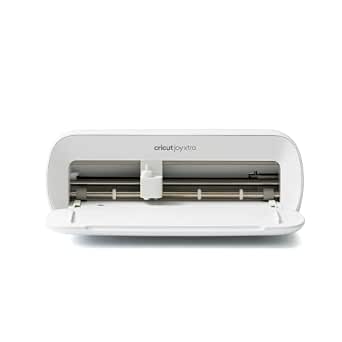 | Best for Print-Then-Cut Stickers | Brand: Cricut | Model: 8002490 | Compatible materials: 50+ materials, including vinyl, iron-on HTV, cardstock, and stickers | VIEW LATEST PRICE | See Our Full Breakdown |
| Cricut Joy Xtra Cutting Machine and Smart Vinyl Bundle |  | Best for Small Vinyl Decals and Labels | Brand: Cricut | Model: zJXtra1 | Operation mode: Automatic | VIEW LATEST PRICE | See Our Full Breakdown |
| Cricut Maker 5 Essential Bundle with Digital Content, Slate Blue |  | Best Premium for Expanding Beyond Vinyl | Brand: Cricut | Model: 8003318 | Compatible materials: 300+ materials | VIEW LATEST PRICE | See Our Full Breakdown |
| VEVOR Vinyl Cutter Machine with Automatic Edge Detection |  | Best for Precise, File-Based Cutting | Brand: VEVOR | Model: TT-450 | Cutting accuracy: ±0.1 mm | VIEW LATEST PRICE | See Our Full Breakdown |
| VEVOR 28-Inch Vinyl Cutting Machine with LCD Screen and Signmaster Software |  | Best for Wide Sign Work | Maximum feed width: 28.3 in / 720 mm | Maximum cutting width: 24.8 in / 630 mm | Cutting precision: ±0.004 in / ±0.01 mm | VIEW LATEST PRICE | See Our Full Breakdown |
| Cricut Explore 5 Rainbow Essential Bundle |  | Best for Beginners | Machine: Cricut Explore 5 smart cutting machine | Material compatibility: 100+ materials, including vinyl, iron-on, cardstock, paper, printable materials, and felt | Smart Materials cutting: Matless cuts up to 12 feet | VIEW LATEST PRICE | See Our Full Breakdown |
| Cricut Explore 5 Cutting Machine Deluxe Bundle with Digital Content, Taupe |  | Best for a Larger Starter Bundle | Machine model: Cricut Explore 5 | Cutting width: 12 in / 30.5 cm | Compatible materials: 100+ materials, including vinyl, iron-on, cardstock, and printable materials | VIEW LATEST PRICE | See Our Full Breakdown |
| VEVOR 28-Inch Vinyl Cutter Plotter with Floor Stand and 20 Blades |  | Best for Adjustable Cutting Controls | Maximum paper feed: 720 mm / 28.3 in | Maximum cutting width: 630 mm / 24.8 in | Cutting precision: ±0.01 mm | VIEW LATEST PRICE | See Our Full Breakdown |
| VEVOR 12-Inch Vinyl Cutting Machine with Screen Control |  | Best for Cross-Device Flexibility | Cutting width: 12 in | Active surface area: 144 sq in | Operations: Cutting, writing/drawing, and scoring | VIEW LATEST PRICE | See Our Full Breakdown |
| VEVOR 34-Inch Vinyl Cutter Plotter Bundle |  | Best for Wide Sign Work | Maximum paper feed: 870 mm (34.3 in) | Maximum cutting width: 780 mm (30.7 in) | Cutting precision: ±0.01 mm (0.0004 in) | VIEW LATEST PRICE | See Our Full Breakdown |
| VEVOR 53-Inch Vinyl Cutter Machine with Dual Blades and SignMaster Software |  | Best for Extra-Wide Production | Maximum feed width: 53 in | Maximum media thickness: 1 mm | Adjustable force: 20–500 gf | VIEW LATEST PRICE | See Our Full Breakdown |
| VEVOR 12-Inch Vinyl Cutting Machine with Screen and Button Controls |  | Best for Multi-Device Crafting | Cutting width: 12 in | Compatible file formats: PNG, JPG, SVG, and TIF | Connectivity: USB, Bluetooth, and USB drive | VIEW LATEST PRICE | See Our Full Breakdown |
| VEVOR Upgraded 28-Inch Vinyl Cutter Plotter Bundle |  | Best Bundle for Windows Sign Makers | Maximum paper feed: 28.3 in / 720 mm | Maximum cutting width: 24.8 in / 630 mm | Cutting pressure: 10–500 g | VIEW LATEST PRICE | See Our Full Breakdown |
| Cricut Explore 5 Essential Bundle with Digital Content, Taupe | 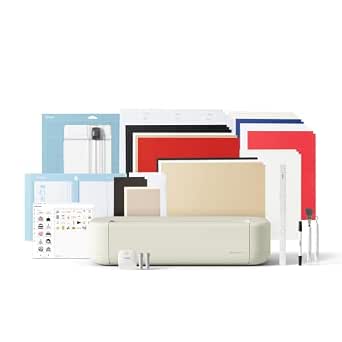 | Best for Guided, Versatile Crafting | Cutting width: 12 in (30.5 cm) | Compatible materials: 100+ materials, including vinyl, iron-on, cardstock, and printable materials | Supported functions: Cut, write, draw, foil, and score | VIEW LATEST PRICE | See Our Full Breakdown |
| vinyl cutting machine | Connectivity |
|---|---|
| Cricut Maker 4 Cutting Machine | — |
| Cricut Joy Xtra Smart Cutting | — |
| Cricut Joy Xtra Cutting Machin | — |
| Cricut Maker 5 Essential Bundl | Bluetooth |
| VEVOR Vinyl Cutter Machine wit | — |
| VEVOR 28-Inch Vinyl Cutting Ma | USB or serial port |
| Cricut Explore 5 Rainbow Essen | Bluetooth |
| Cricut Explore 5 Cutting Machi | Bluetooth |
| VEVOR 28-Inch Vinyl Cutter Plo | — |
| VEVOR 12-Inch Vinyl Cutting Ma | USB, Bluetooth, and USB drive |
| VEVOR 34-Inch Vinyl Cutter Plo | — |
| VEVOR 53-Inch Vinyl Cutter Mac | USB, U-disk, and serial port |
| VEVOR 12-Inch Vinyl Cutting Ma | USB, Bluetooth, and USB drive |
| VEVOR Upgraded 28-Inch Vinyl C | — |
| Cricut Explore 5 Essential Bun | Bluetooth |
More Details on Our Top Picks
Cricut Maker 4 Cutting Machine Beginner Bundle with Vinyl and Iron-On
The Cricut Maker 4 Beginner Bundle is my strongest all-around pick here for buyers who want vinyl cutting now and room to branch into other crafts. Its included mat, blade, tools, and vinyl and iron-on samplers let a beginner try decals and shirt designs without sourcing every starter item separately. Design Space and instructional guides also give newcomers a clear route from design to cut. Compared with the smaller Cricut Joy Xtra, this bundle is better suited to a varied craft setup rather than a compact, occasional-use machine. The tradeoff is that the bundled material comes as sampler sheets, so larger or repeated projects will call for additional supplies. I’d choose it for flexibility, not for the lowest-footprint setup.
Pros:- Includes a cutting mat, blade, tools, vinyl, and iron-on materials to start making projects.
- Supports a mix of decals, stickers, shirts, cards, and personalized gifts.
- Cricut Design Space and instructional guides help beginners get started.
- More suitable for varied crafting than the compact Cricut Joy Xtra.
Cons:- Vinyl and iron-on supplies are sampler sheets, which limit how many projects can be made before restocking.
- The larger, more capable setup may be unnecessary for buyers who only need occasional small labels.
Best for: New crafters who want one machine for vinyl decals, iron-on shirts, cards, and future projects beyond vinyl.
Not ideal for: Buyers who mainly make small labels and want a compact machine, or those expecting the included sampler sheets to cover extended production.
- Brand:Cricut
- Model:z20-11084-N9
- Operation mode:Automatic
- Active surface area:144 sq in
- Materials:Metal, plastic
- Included components:Maker 4 machine, HTV and vinyl sheets, cutting mat, blade, tools
- Warranty:1 year against manufacturer defects
Our verdict“Choose the Maker 4 bundle if you want a beginner-friendly vinyl cutter with starter materials and room to take on varied crafts.”
Cricut Joy Xtra Smart Cutting Machine with Digital Content Bundle
The Cricut Joy Xtra Digital Content Bundle makes the most sense for crafters whose vinyl work overlaps with stickers and printed designs. It cuts, writes, draws, and foils across more than 50 materials, while Print-Then-Cut lets a compatible inkjet printer supply full-color artwork before the machine cuts around it. That gives it a different strength from the vinyl-focused Joy Xtra bundle with Smart Vinyl: this version puts more emphasis on printed projects and includes 30 digital images. Its 95.94-square-inch active surface is smaller than the Maker 4’s 144 square inches, so it’s less suited to larger work or a broad, high-volume craft routine. A printer is also required for Print-Then-Cut, and the full Design Space library requires an optional subscription.
Pros:- Print-Then-Cut supports full-color designs made with most inkjet printers.
- Cuts, writes, draws, and foils on more than 50 materials.
- Includes starter tools, practice materials, and 30 digital images.
- Compact alternative to the larger Cricut Maker 4.
Cons:- Print-Then-Cut depends on having a compatible inkjet printer.
- The active surface is smaller than the Maker 4’s, limiting project scale.
- Access to the full Design Space content library requires an optional paid subscription.
Best for: Sticker makers and home crafters who already own a compatible inkjet printer and want a compact cutter for printed designs, labels, and small vinyl projects.
Not ideal for: Buyers who need a larger work area, want to make substantial projects, or do not have an inkjet printer for Print-Then-Cut.
- Brand:Cricut
- Model:8002490
- Compatible materials:50+ materials, including vinyl, iron-on HTV, cardstock, and stickers
- Functions:Cutting, writing, drawing, and foiling
- Print-Then-Cut compatibility:Most inkjet printers
- Active surface area:95.94 sq in
- Included components:Joy Xtra machine, fine-point blade, fine-point pen, mini weeder, practice-cut materials, and 30 digital images
- Software:Cricut Design Space
- Warranty:1-year manufacturer warranty
Our verdict“Pick this Joy Xtra bundle if printed stickers and compact, mixed-material projects matter more than a larger cutting area.”
Cricut Joy Xtra Cutting Machine and Smart Vinyl Bundle
For buyers who mainly cut vinyl, the Cricut Joy Xtra Smart Vinyl Bundle is a more focused starting point than the Digital Content Bundle. It pairs the machine with permanent rainbow vinyl, transfer tape, tools, and design guides, while compatible Smart Vinyl loads without a cutting mat—a convenient fit for quick labels, decals, and signs. That direct-loading workflow sets it apart from the Maker 4 beginner bundle, which includes a mat and a broader mix of project materials. The Joy Xtra’s compact footprint also suits a craft desk better than a larger machine. The tradeoff is scale: its listed active surface is 68.75 square inches, so buyers planning wider or more varied projects may prefer the Maker 4. The body and included components are plastic, and the warranty is limited to one year against manufacturer defects.
Pros:- Compatible Smart Vinyl loads directly without a cutting mat.
- Includes permanent vinyl samplers, transfer tape, tools, and digital design guides.
- Well suited to labels, decals, signs, and personalized projects.
- Smaller setup than the Cricut Maker 4 bundle.
Cons:- The 68.75-square-inch active surface is limiting for larger designs.
- The machine and included components are made of plastic.
- The one-year warranty covers manufacturer defects only.
Best for: Desk-based crafters who mostly make small labels, permanent vinyl decals, and signs and want a bundle with transfer tape included.
Not ideal for: Makers who need a larger work area, want a broader starter-material assortment, or plan to cut wide designs regularly.
- Brand:Cricut
- Model:zJXtra1
- Operation mode:Automatic
- Active surface area:68.75 sq in
- Dimensions:5.5 × 12.5 × 5.5 in
- Material:Plastic
- Included components:Joy Xtra machine, vinyl samplers, tool set, transfer tape, digital design guides
- Warranty:1 year against manufacturer defects
Our verdict“Choose this bundle for convenient, small-format vinyl work with transfer tape and Smart Vinyl included.”
Cricut Maker 5 Essential Bundle with Digital Content, Slate Blue
The Cricut Maker 5 Essential Bundle is the premium pick for vinyl makers who expect their project list to grow well beyond adhesive and iron-on designs. Its 12-inch cutting width, support for more than 300 materials, and functions such as scoring, engraving, debossing, and foiling make it more versatile than the Maker 4 beginner bundle. The included tools and materials are listed for up to 65 projects, giving a developing craft setup more to work with than a bundle built around sampler sheets. That range comes with a learning and supply tradeoff: some specialty tools and materials are sold separately, and certain content and software features require a paid subscription. It also requires a compatible Bluetooth device and high-speed internet. For straightforward decal cutting, the Joy Xtra bundles are simpler and more compact choices.
Pros:- Supports more than 300 materials, including materials up to 3 mm thick.
- Offers cutting, engraving, writing, drawing, foiling, scoring, and debossing.
- Includes tools and materials for up to 65 projects.
- Its 12-inch cutting width gives more room than the Cricut Joy Xtra bundles.
Cons:- Specialty tools and some compatible materials are sold separately.
- Full content access and certain software features require a paid subscription.
- Requires a compatible Bluetooth-enabled device and high-speed internet.
Best for: Experienced or ambitious home crafters who want a 12-inch vinyl cutter that can also handle fabric, leather, scoring, engraving, and other craft methods.
Not ideal for: Buyers focused only on small vinyl labels, those who want a simple setup without internet or Bluetooth requirements, or anyone unwilling to source specialty tools separately.
- Brand:Cricut
- Model:8003318
- Compatible materials:300+ materials
- Maximum material thickness:Up to 3 mm
- Cutting width:12 in (30.5 cm)
- Supported functions:Cutting, engraving, writing, drawing, foiling, scoring, debossing
- Tools supported:13
- Bundle supplies:Materials and tools for up to 65 projects
- Connectivity:Bluetooth
Our verdict“Choose the Maker 5 bundle if vinyl is one part of a wider craft practice and you’ll use its extra tools and material range.”
VEVOR Vinyl Cutter Machine with Automatic Edge Detection
The VEVOR TT-450 is the most production-minded vinyl option in this group: it lists ±0.1 mm cutting accuracy, adjustable speeds from 20 to 400 mm/s, and automatic edge detection. Support for SVG, EPS, PLT, and AI files makes it a fit for buyers who already work with design files rather than relying on a guided consumer craft workflow. Compared with the Cricut Maker 4, the VEVOR offers a 13-inch maximum cut size and a color touchscreen, but the Maker 4 bundle is more approachable for beginners and includes a mat, blade, and project-oriented guides. The VEVOR’s 12 × 12-inch active area is still limiting beside the wider 28-inch and larger plotters in the roundup. Mac users also need to account for Signcut access being free for one year.
Pros:- Automatic edge detection and stated ±0.1 mm accuracy support precise cutting.
- Handles more than 100 materials and common vector file formats.
- Color touchscreen and included software provide a direct machine-control workflow.
- Includes seven craft materials to begin with.
Cons:- Maximum cut size is 13 inches, narrower than the large-format plotters in the roundup.
- Mac Signcut access is free for one year, so users may need another software arrangement afterward.
- Less beginner-oriented than the Cricut Maker 4 bundle’s Design Space and instructional guides.
Best for: Small sign makers and experienced hobbyists who use vector design files and value adjustable cutting speed, edge detection, and a touchscreen.
Not ideal for: Beginners seeking a guided craft-app experience, buyers needing cuts wider than 13 inches, or Mac users who want software access without a time limit.
- Brand:VEVOR
- Model:TT-450
- Cutting accuracy:±0.1 mm
- Cutting speed:20–400 mm/s
- Maximum paper feed width:17 in / 450 mm
- Maximum cut size:13 in / 330 mm
- Active surface area:12 × 12 in
- Compatible materials:100+ materials, including adhesive vinyl, HTV, cardstock, and EVA foam
- Compatible file formats:SVG, EPS, PLT, AI
Our verdict“Pick the VEVOR TT-450 if you already work with vector files and want precise, adjustable vinyl cutting in a compact format.”
VEVOR 28-Inch Vinyl Cutting Machine with LCD Screen and Signmaster Software
The VEVOR 28-Inch suits buyers who need more width than a desktop craft cutter can offer. Its 24.8-inch cutting width accommodates larger decals and sign layouts, while the LCD controls for speed and force let you adjust settings at the machine. Compared with the Cricut Explore 5 Rainbow Essential Bundle, this VEVOR is built around wider roll-fed vinyl work rather than compact, guided craft projects. Adjustable pinch rollers and a wheeled aluminum stand support longer material runs and easier repositioning. The tradeoff is a more demanding setup: its Signmaster workflow is specified for Windows, and the usable cutting width is smaller than the 28.3-inch feed width. Choose it for signs and batches of decals, not for a low-fuss, phone-first crafting setup.
Pros:- 24.8-inch cutting width handles larger layouts than the 12-inch desktop machines in this roundup.
- LCD controls allow speed and cutting force adjustments at the machine.
- Adjustable pinch rollers help feed roll material steadily.
- Wheeled aluminum stand and included starter materials support a work-area setup.
Cons:- Software compatibility is specified for Windows, limiting options for Mac users.
- The 24.8-inch cutting width is narrower than its 28.3-inch maximum feed width.
- At 39.7 pounds with a floor stand, it takes more space and setup than a desktop craft cutter.
Best for: Windows-based makers and small sign shops producing wider vinyl decals, lettering, and heat-transfer designs.
Not ideal for: Mac users or casual crafters who want a compact machine with a guided mobile design workflow.
- Maximum feed width:28.3 in / 720 mm
- Maximum cutting width:24.8 in / 630 mm
- Cutting precision:±0.004 in / ±0.01 mm
- Display:LCD screen
- Rollers:Three adjustable double-spring pinch rollers
- Software:Signmaster; also supports SignCut and Flexi
- Connectivity:USB or serial port
- Weight:39.7 lb
- Stand:Aluminum stand with caster wheels
Our verdict“Choose this VEVOR for wider roll-fed sign projects and on-machine controls if a Windows-based setup suits your workflow.”
Cricut Explore 5 Rainbow Essential Bundle
The Cricut Explore 5 Rainbow Essential Bundle is the approachable pick for new crafters who want vinyl cutting alongside cards, apparel, and personalized gifts. Its Design Space guidance and included materials make it easier to start projects than the VEVOR 28-Inch Vinyl Cutting Machine, which is aimed at wider sign work and calls for a more involved computer setup. Smart Materials allow matless cuts up to 12 feet, useful for longer single-color designs without a cutting mat. The machine also handles more than 100 material types, giving it range beyond adhesive vinyl. The tradeoff is reliance on Cricut Design Space and a compatible Bluetooth device; it is less appealing to buyers who want an open, independent software workflow. Some project materials may also require supplies beyond the bundle.
Pros:- Cuts more than 100 materials, including vinyl, iron-on, cardstock, paper, and felt.
- Smart Materials support matless cuts up to 12 feet long.
- Bundle includes materials and tools for a broad set of starter projects.
- Design Space resources and Bluetooth connection support guided home crafting.
Cons:- Requires Cricut Design Space and a compatible Bluetooth device.
- Some project types need materials or tools beyond those included.
- Its compact craft-focused format is less suited to wide sign production than the VEVOR 28-Inch models.
Best for: First-time home crafters who want guided projects, starter materials, and the option to make decals, cards, and iron-on designs.
Not ideal for: Sign makers needing a wide roll-fed cutter or users who want to avoid Cricut Design Space and Bluetooth-dependent setup.
- Machine:Cricut Explore 5 smart cutting machine
- Material compatibility:100+ materials, including vinyl, iron-on, cardstock, paper, printable materials, and felt
- Smart Materials cutting:Matless cuts up to 12 feet
- Connectivity:Bluetooth
- Software:Cricut Design Space
- Included materials:Smart Vinyl, Smart Iron-On, value cardstock, insert card sets, printable vinyl, and tools
- Additional materials:6 Smart Vinyl sheets and 6 Smart Heat Transfer Vinyl sheets, each 9.5 x 13 in
- Project resources:Access to 400+ projects and how-to guides
- Project capacity:Supplies for up to 80 projects
Our verdict“Pick this bundle if you are starting with varied home crafts and want guided setup rather than a wide-format sign cutter.”
Cricut Explore 5 Cutting Machine Deluxe Bundle with Digital Content, Taupe
If you want a desktop vinyl cutter packaged for a broad mix of projects, the Explore 5 Deluxe Bundle brings tools, materials, and extra digital content together. Like the Rainbow Essential Bundle, it cuts more than 100 materials and connects through Bluetooth to Cricut Design Space, but this version lists supplies for up to 100 projects rather than up to 80. Its 12-inch cutting width and functions for cutting, writing, drawing, foiling, and scoring make it versatile for cards and apparel as well as decals. Against the VEVOR 12-Inch Vinyl Cutting Machine with Screen Control, Cricut offers a more established guided design workflow, while VEVOR lists broader device compatibility and several connection methods. This bundle’s tradeoffs are software dependence, internet requirements, and separately sold tools such as the Deep Cutting Tool.
Pros:- Cuts, writes, draws, foils, and scores for varied craft projects.
- Works with more than 100 materials, including vinyl, iron-on, cardstock, and printable materials.
- Bundle supplies are listed for up to 100 projects and include tools and digital content.
- Compact design is approximately 30% smaller than previous models.
Cons:- Requires Cricut Design Space, a compatible device, Bluetooth, and high-speed internet.
- Deep Cutting Tool is sold separately, as are some tools and materials.
- Some software features and the full content library require a paid subscription.
Best for: Home crafters who want a compact vinyl cutter with starter materials and digital content for projects beyond decals.
Not ideal for: Buyers who need wide-format sign cutting, prefer software-independent operation, or cannot rely on a compatible device and high-speed internet.
- Machine model:Cricut Explore 5
- Cutting width:12 in / 30.5 cm
- Compatible materials:100+ materials, including vinyl, iron-on, cardstock, and printable materials
- Functions:Cuts, writes, draws, foils, and scores
- Tool compatibility:Works with six tools; Deep Cutting Tool sold separately
- Connectivity:Bluetooth
- Bundle contents:Tools, Smart Vinyl, Smart Iron-On, Value Cardstock, Insert Card Sets, Printable Vinyl, 25 additional premium-quality images, and 1 font
- Included project capacity:Supplies for up to 100 projects
- Device and software requirements:Cricut Design Space on a compatible computer or mobile device; Bluetooth and high-speed internet required
Our verdict“Choose this bundle for a compact, multipurpose craft cutter with a larger stated project-supply set, provided Design Space fits your workflow.”
VEVOR 28-Inch Vinyl Cutter Plotter with Floor Stand and 20 Blades
This VEVOR 28-Inch Plotter puts its emphasis on adjustable cutting parameters: pressure ranges from 10–500 g and speed from 10–800 mm/s. That flexibility can help users tune settings for different vinyl and project demands, while the floor stand and 20 blades make it more production-oriented than the Cricut Explore 5 bundles. Its 24.8-inch cutting width matches the wider VEVOR 720SD28IN, but this listing highlights COMPIM and USB interfaces plus DM/PL and HP/GL language support rather than Signmaster software and a wheeled stand. The major limitation is platform support: it is specified for Windows and not Mac. Buyers should also note that no warranty is stated and that the listed 500 g item weight conflicts with the substantial floor-stand format, so the weight data should not guide handling plans.
Pros:- Adjustable cutting pressure from 10–500 g and speed from 10–800 mm/s.
- 24.8-inch maximum cutting width supports larger vinyl layouts.
- Includes a floor stand and 20 blades.
- USB and COMPIM interfaces with DM/PL and HP/GL support.
Cons:- Not compatible with Mac and requires a Windows-compatible PC.
- No warranty is stated in the supplied product data.
- The listed 500 g item weight appears inconsistent with the floor-stand format, leaving handling weight unclear.
Best for: Windows-based sign makers who want adjustable pressure and speed, a floor stand, and spare blades for roll-fed vinyl work.
Not ideal for: Mac users, buyers seeking a clearly specified warranty, or crafters who want a compact guided machine like the Cricut Explore 5.
- Maximum paper feed:720 mm / 28.3 in
- Maximum cutting width:630 mm / 24.8 in
- Cutting precision:±0.01 mm
- Adjustable cutting pressure:10–500 g
- Adjustable cutting speed:10–800 mm/s
- Interfaces:COMPIM and USB
- Supported languages:DM/PL and HP/GL
- Operating system compatibility:Windows XP/Vista/7/8/10, 32-bit and 64-bit; not compatible with Mac
- Included components:Floor stand, vinyl cutter machine, and 20 blades
Our verdict“Pick this VEVOR if adjustable cutting settings and a wide working format matter more than Mac support or a clearly documented warranty.”
VEVOR 12-Inch Vinyl Cutting Machine with Screen Control
The VEVOR smart3 is the most connection-flexible option among these five: it supports USB, Bluetooth, and USB drive input, with compatibility listed for Mac, Windows, Android, and iOS. That gives it an advantage over the Cricut Explore 5 bundles for buyers who do not want to work only through Cricut Design Space. Its 12-inch cutting width fits decals, cards, and smaller heat-transfer designs, while cutting, drawing, and scoring cover common craft tasks. VEVOR also includes software and built-in design resources, avoiding a stated recurring software payment. By comparison, the wider VEVOR 28-Inch machines are better suited to sign runs and large layouts. This model’s compact format limits project width, and the listed 240-volt input may not suit every workspace, so check power compatibility before choosing it.
Pros:- USB, Bluetooth, and USB drive connectivity offer several ways to transfer designs.
- Compatible with Mac, Windows, Android, and iOS devices.
- Supports cutting, writing or drawing, and scoring.
- Includes design software and built-in resources, with no recurring software payment specified.
Cons:- The 12-inch cutting width is far narrower than the 24.8-inch VEVOR plotters.
- The listed 240-volt input may not suit every electrical setup.
- Connected design workflows still require a compatible computer or mobile device.
Best for: Craft users who want a 12-inch machine with multiple connection options and compatibility across computer and mobile operating systems.
Not ideal for: Sign makers working with wide roll material, or buyers whose electrical setup is not compatible with the listed 240-volt input.
- Cutting width:12 in
- Active surface area:144 sq in
- Operations:Cutting, writing/drawing, and scoring
- Supported file formats:PNG, JPG, SVG, TIF
- Connectivity:USB, Bluetooth, and USB drive
- Compatible devices:Mac, Windows, Android 5.1 or later, and iOS 11.0 or later
- Compatible materials:Vinyl, heat-transfer paper, cardstock, foil, and specialty paper
- Dimensions:7.36 x 22.8 x 6.61 in
- Input voltage:240 volts
Our verdict“Choose the smart3 for compact craft projects and broad device compatibility, but check the power requirement and skip it for wide-format signs.”
VEVOR 34-Inch Vinyl Cutter Plotter Bundle
The VEVOR 34-Inch Vinyl Cutter Plotter Bundle makes the most sense for buyers who need to cut larger signs, window graphics, or long decals without stepping up to the 53-inch VEVOR model. Its 30.7-inch cutting width leaves room for substantial projects, while adjustable pressure and speed let users tune cuts for different vinyl stocks. USB and COMPIM connections, SVG and PDF support, and an LCD panel give it a practical workstation feel rather than a phone-led craft-machine workflow. The tradeoff is a Windows-oriented setup and installation materials that may arrive as either a CD or download card. Compared with the narrower VEVOR Upgraded 28-Inch model, this offers more working width, but it is less convenient for buyers seeking a compact, plug-and-play cutter.
Pros:- 30.7-inch maximum cutting width accommodates larger graphics than the 24.8-inch VEVOR Upgraded 28-Inch.
- Adjustable 20–500 g pressure and 20–800 mm/s speed support tuning for different jobs.
- USB and COMPIM connections plus SVG and PDF file support suit computer-based sign workflows.
- Double spring pinch rollers and a roughened steel roller are designed to help media track steadily.
Cons:- Listed compatible devices are Windows computers, limiting options for Mac-based workflows.
- Software installation materials vary between a CD and a download card.
- Its wide format and plotter-style setup take more workspace and setup effort than 12-inch craft cutters.
Best for: Small sign shops and home makers who need a wide cutting area for decals, banners, and window graphics and use a Windows computer.
Not ideal for: Mac users and occasional crafters who want a compact machine with straightforward mobile-device control.
- Maximum paper feed:870 mm (34.3 in)
- Maximum cutting width:780 mm (30.7 in)
- Cutting precision:±0.01 mm (0.0004 in)
- Adjustable cutting pressure:20–500 g
- Adjustable cutting speed:20–800 mm/s
- Interfaces:USB and COMPIM
- Supported file formats:SVG and PDF
- Display:Backlit LCD
Our verdict“Choose this VEVOR if your priority is a broad cutting area for computer-driven sign work and you can work within its Windows-focused setup.”
VEVOR 53-Inch Vinyl Cutter Machine with Dual Blades and SignMaster Software
For buyers working with oversized graphics or long runs, the VEVOR 53-Inch Vinyl Cutter offers a scale the other machines in this group cannot match. Its 53-inch feed width and dual-blade arrangement are aimed at broad sign-making work, with the creasing blade adding a way to score without swapping out the cutting blade. Contour detection and dual-spring pinch rollers are intended to help keep jobs aligned, while USB, U-disk, and serial connections offer several ways to bring in work. This is a different proposition from the 34-inch VEVOR: it prioritizes media capacity and included accessories over a smaller footprint. At 65.9 pounds and more than five feet wide, it needs a dedicated space. The listed 264 V AC supply also warrants checking against the intended outlet before purchase.
Pros:- 53-inch media capacity suits oversized signs and wide-format work beyond the 34-inch VEVOR’s reach.
- Dual-blade design includes a creasing blade, reducing blade changes between scoring and cutting tasks.
- Contour detection and dual-spring pinch rollers are designed to support accurate tracking.
- Bundle includes SignMaster, sticker sheets, transfer film, a cutting mat, holders, and tools.
Cons:- Its 61.42-inch length and 65.9-pound weight require substantial, stable workspace.
- The listed 264 V AC voltage should be checked against the buyer’s available power supply.
- A 1 mm maximum media thickness limits use with thicker materials.
Best for: Sign makers and production-minded makers who regularly cut oversized media and have permanent floor space for a large plotter.
Not ideal for: Apartment crafters or occasional users who need a portable machine, as well as buyers who cannot verify the listed power requirement.
- Maximum feed width:53 in
- Maximum media thickness:1 mm
- Adjustable force:20–500 gf
- Cutting accuracy:±0.1 mm
- Blades:Dual-blade design; includes creasing blade and cutting blades
- Connectivity:USB, U-disk, and serial port
- Compatible operating systems:Windows 7–11 and macOS
- Weight and dimensions:65.9 lb; 61.42 × 17.91 × 41.34 in
Our verdict“Pick this model for frequent, oversized vinyl and sign jobs only if you have room for its large frame and can confirm power compatibility.”
VEVOR 12-Inch Vinyl Cutting Machine with Screen and Button Controls
This 12-inch VEVOR is the most flexible choice here for makers who move between computers and mobile devices: it supports USB, Bluetooth, and USB-drive connections across Mac, Windows, Android, and iOS, subject to the listed operating-system requirements. Cutting, drawing, and scoring in one machine covers common jobs such as decals, cards, and labels. It also accepts PNG and JPG alongside SVG and TIF, which can make it easier to bring in existing artwork than a plotter that lists only vector-oriented formats. The built-in design library is another point of difference from the larger VEVOR plotters, which focus on width and computer-based operation. Its 12-inch cutting width is the main compromise: it suits tabletop crafts, not broad signage, and the 27.3-pound weight is substantial for a craft cutter.
Pros:- USB, Bluetooth, and USB-drive options support varied device and file-transfer habits.
- Compatibility with Mac, Windows, Android, and iOS gives it broader device reach than the Windows-focused VEVOR plotters.
- Cutting, writing or drawing, and scoring handle several common craft tasks.
- Accepts PNG, JPG, SVG, and TIF files and lists more than 20,000 built-in designs.
Cons:- The 12-inch cutting width is limited for signs or larger one-piece graphics.
- Android and iOS support requires specified minimum operating-system versions.
- At 27.3 pounds, it is heavier than many compact craft-machine alternatives.
Best for: Home crafters who want to cut, draw, and score smaller projects using a mix of phones, tablets, and computers.
Not ideal for: Sign makers who need wide-format output or buyers seeking a lightweight machine to move frequently.
- Cutting width:12 in
- Compatible file formats:PNG, JPG, SVG, and TIF
- Connectivity:USB, Bluetooth, and USB drive
- Compatible devices:Mac, Windows, Android 5.1+, and iOS 11.0+
- Functions:Cutting, writing/drawing, and scoring
- Compatible materials:Vinyl, heat-transfer paper, cardstock, foil, and specialty paper
- Design resources:20,000+ built-in designs
- Item weight:27.3 lb
Our verdict“Choose this VEVOR for smaller craft projects when broad device compatibility matters more than a wide cutting bed.”
VEVOR Upgraded 28-Inch Vinyl Cutter Plotter Bundle
The VEVOR Upgraded 28-Inch strikes a middle ground between compact craft cutters and the wider 34-inch and 53-inch plotters in this roundup. Its 24.8-inch cutting width can handle medium-sized signs and decals, while the included five-color vinyl sheets and cutting tools let a Windows-based buyer start with several materials on hand. Adjustable pressure and speed provide control across vinyl, cardstock, and paint masks, and the aluminum body gives it a work-oriented format. Compared with the 34-inch VEVOR, it gives up nearly six inches of cutting width; compared with Cricut Explore 5, it offers a wider bed but a more restricted workflow. The key limitation is compatibility: it is not Mac compatible, and the stated processor and Windows requirements make it a poor fit for buyers who want device flexibility.
Pros:- 24.8-inch maximum cutting width suits medium-format signs and decals.
- Adjustable 10–500 g pressure and 10–800 mm/s speed provide control across different materials.
- Bundle includes five colors of vinyl sheets plus a utility knife, holders, and other tools.
- USB and COM connections pair with SignMaster and listed Windows support.
Cons:- Not compatible with Mac, unlike the Cricut Explore 5’s Bluetooth-connected device workflow.
- Requires a supported Windows system and a Pentium processor-based PC.
- Its 39-pound weight and 38-inch length make it less convenient to store or move than a 12-inch cutter.
Best for: Windows-based hobby sign makers who need a wider-than-craft-machine bed and value a starter supply of vinyl and tools.
Not ideal for: Mac users, mobile-first crafters, or buyers who need more cutting width than 24.8 inches.
- Maximum paper feed:28.3 in / 720 mm
- Maximum cutting width:24.8 in / 630 mm
- Cutting pressure:10–500 g
- Cutting speed:10–800 mm/s
- Blade accuracy:0.0004 in / 0.01 mm
- Connections:USB and COM
- Compatible operating systems:Windows XP, Vista, 7, 8, 10, and 11; not Mac compatible
- Product dimensions and weight:38 × 14 × 12 in; 39 lb
Our verdict“This bundle fits Windows users seeking a mid-width plotter and starter materials, but Mac owners should choose a different machine.”
Cricut Explore 5 Essential Bundle with Digital Content, Taupe
The Cricut Explore 5 Essential Bundle is the clearest fit for crafters who want a 12-inch machine that handles more than vinyl decals. It can cut over 100 materials and also write, draw, foil, and score, while Bluetooth connects a compatible device to Cricut Design Space. The bundled vinyl, iron-on, cardstock, card sets, tools, and digital content give it a broader out-of-box craft setup than the single-machine VEVOR 12-inch model. That breadth comes with software and connectivity dependence: users need a compatible device, Bluetooth, and high-speed internet, and some tools, materials, and content require separate purchase or a subscription. Its 12-inch width also falls far short of the VEVOR 28-inch and 34-inch plotters for sign work. This is a craft-first alternative, not a wide-format production cutter.
Pros:- Cuts more than 100 materials and supports writing, drawing, foiling, and scoring.
- Essential Bundle includes several material types, crafting tools, and digital content for varied projects.
- Bluetooth connects compatible computers and mobile devices to Cricut Design Space.
- The 12-inch format is more suited to a home craft space than the VEVOR 28-inch and 34-inch plotters.
Cons:- Deep Cutting Tool is sold separately, as are some compatible tools and materials.
- Some content and software features require a paid subscription.
- Use depends on a compatible device, Bluetooth, and high-speed internet.
Best for: New and experienced home crafters making decals, apparel designs, stickers, and cards who want several project types in one machine.
Not ideal for: Sign makers needing wide-format cuts, or buyers who prefer offline operation and do not want to rely on Design Space or optional paid content.
- Cutting width:12 in (30.5 cm)
- Compatible materials:100+ materials, including vinyl, iron-on, cardstock, and printable materials
- Supported functions:Cut, write, draw, foil, and score
- Connectivity:Bluetooth
- Tool compatibility:Works with six tools; Deep Cutting Tool sold separately
- Bundle contents:Smart Vinyl, Smart Iron-On, Value Cardstock, Insert Card Sets, Printable Vinyl, crafting tools, 25 additional images, and 1 font
- Included digital content:3,000+ images, 100+ fonts, and 1,000+ projects in the free out-of-the-box library
- Device requirements:Compatible computer or mobile device, Bluetooth, and high-speed internet
Our verdict“Choose the Explore 5 Essential Bundle for varied, guided home crafting; choose a VEVOR plotter instead when wider sign cuts matter more.”
How We Picked
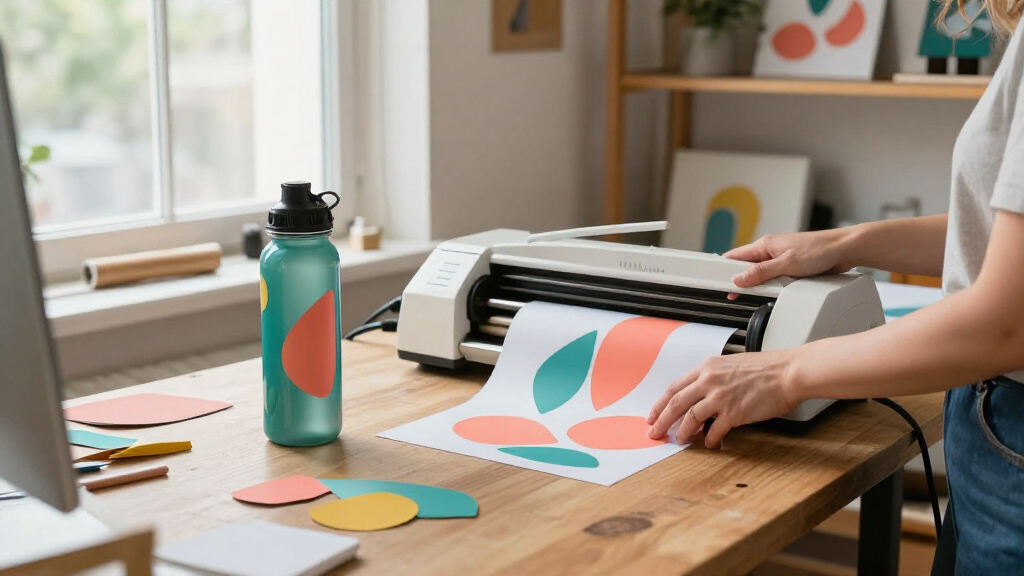
I compared these vinyl cutting machines by the work they are set up to handle: everyday craft projects, compact decals, or wider sign-making jobs. I weighed cutting width, control and software approach, included materials and accessories, and the workspace each machine is likely to need. Bundle contents mattered only when they could reduce setup or fill a clear project need; a larger accessory count alone did not make a cutter a better choice.
The ranking favors versatility and a clear fit for the intended buyer over sheer size or bundle volume. That puts a capable home-craft machine near the top for readers with mixed projects, while wide-format VEVOR cutters rank higher for buyers who need their capacity and lower for those without room or sign-making plans. I also account for tradeoffs: compact machines limit material width, larger plotters need more space and setup, and digital-content bundles are less useful to shoppers who already have a workflow.
| vinyl cutting machine | Connectivity |
|---|---|
| Cricut Maker 4 Cutting Machine | — |
| Cricut Joy Xtra Smart Cutting | — |
| Cricut Joy Xtra Cutting Machin | — |
| Cricut Maker 5 Essential Bundl | Bluetooth |
| VEVOR Vinyl Cutter Machine wit | — |
| VEVOR 28-Inch Vinyl Cutting Ma | USB or serial port |
| Cricut Explore 5 Rainbow Essen | Bluetooth |
| Cricut Explore 5 Cutting Machi | Bluetooth |
| VEVOR 28-Inch Vinyl Cutter Plo | — |
| VEVOR 12-Inch Vinyl Cutting Ma | USB, Bluetooth, and USB drive |
| VEVOR 34-Inch Vinyl Cutter Plo | — |
| VEVOR 53-Inch Vinyl Cutter Mac | USB, U-disk, and serial port |
| VEVOR 12-Inch Vinyl Cutting Ma | USB, Bluetooth, and USB drive |
| VEVOR Upgraded 28-Inch Vinyl C | — |
| Cricut Explore 5 Essential Bun | Bluetooth |
Factors to Consider When Choosing Vinyl Cutting Machines
Before choosing among these machines, I’d work backward from the projects you expect to make and the space you can give the cutter. A machine’s width and included bundle can look appealing, but neither helps if the software or workflow does not suit you.
Match Cutting Width to Your Actual Projects
Write down the widest design you expect to cut, then allow for the material margins and feeding space your setup needs. Compact craft cutters can handle many decals and apparel designs, but they are a poor match for long, wide signage. A wide-format plotter is not automatically the better buy if most of your work fits on smaller sheets; it takes more room and can add setup demands. Buyers often confuse a machine’s maximum material width with the width of a design they can cut comfortably. If your jobs vary, decide whether you can split a design into sections or whether a wider cutter will save time often enough to justify its footprint.
Choose a Workflow You Will Want to Use
Software can shape the daily experience as much as the blade does. Craft-oriented systems and plotter-style software may differ in how they handle artwork, file preparation, and machine controls, so check compatibility with your computer and the design files you already use. A bundle that includes digital content can help a new user get started, but it may add little for someone with an established library. For sign work, think about how you will create, size, and send repeated designs rather than focusing only on the cutter’s dimensions. Try to confirm what is included and whether any required software access or accessories are separate.
Treat Bundles as a Starter Kit, Not a Quality Guarantee
Included vinyl, iron-on material, blades, and digital designs can make a first project easier, but bundle contents vary and may not match your preferred materials. Compare what is in the box with a short list of supplies you would buy anyway. A large accessory pack can create clutter if it contains tools you will rarely use, while a smaller bundle may be more useful if it includes the right materials for your first projects. Check whether replacement blades and compatible materials are easy to source for your intended workload. I’d choose the machine for its fit and workflow first, then treat the bundle as a bonus.
Plan for Floor Space, Feeding, and Storage
A tabletop cutter and a floor-stand plotter ask for very different work areas. Wide machines need room not only for the unit but also for vinyl to feed through without catching on a wall, table edge, or nearby object. If you work in a shared room, measure the space you can leave set up and consider how often you would need to store the machine. A stand may make a larger cutter easier to position, but it does not remove the need for clear material paths. Buyers who overlook this often end up choosing a smaller machine for convenience after buying a larger one for capacity.
Separate Craft Versatility From Sign-Making Capacity
Small craft machines and wide vinyl plotters serve overlapping but distinct needs. A craft-focused cutter can be a better fit for mixed projects such as decals, iron-on designs, and other material work, while a sign-oriented plotter puts more emphasis on handling wider vinyl. Decide whether you want one machine for varied home projects or a tool dedicated to signage. Buying the widest option for occasional small labels can mean paying in space and setup without gaining much practical benefit. On the other hand, repeatedly tiling large designs on a compact machine can add alignment work that a wider cutter could avoid.
Set Expectations for Setup and Ongoing Supplies
Even a machine with screen controls still needs suitable material, blade care, and a stable way to prepare designs. Before choosing, consider whether you prefer guided, app-based crafting or direct machine controls, and whether you are comfortable learning a separate software workflow. Plan for replacement blades and project materials rather than assuming the starter bundle will cover ongoing work. For a new user, a clearly matched starter bundle can reduce early guesswork, but it cannot replace learning how to select and load material correctly. For frequent production, prioritize a workflow you can repeat reliably over features you may use only once.
Frequently Asked Questions
Should I choose a Cricut craft machine or a VEVOR vinyl plotter?
I’d choose a Cricut craft machine if your projects span home crafts and you prefer a craft-centered workflow with bundled materials or digital content. A VEVOR plotter makes more sense when you need a wider cutting path for signs or repeated large vinyl designs. The difference is not simply brand: these groups target different project sizes and working styles. Check which software and file workflow fit your design process before deciding. If most designs are small, the larger plotter may take up space without helping much.
Is a 12-inch cutter enough for making signs?
A 12-inch cutter can make smaller signs and decals, and it may suit occasional projects that fit its working width. Larger designs can sometimes be split into sections, but that adds alignment and application work. If you plan to make wide storefront, vehicle, or wall graphics regularly, a 28-inch or wider model may be a more practical fit. Measure the widest design you expect to make rather than relying on the size of a sample project. Also leave room for vinyl to feed through the machine cleanly.
Do I need a bundle, or should I buy a machine on its own?
A bundle is useful if its vinyl, blades, tools, or digital content match projects you plan to start soon. It is less useful when you already own materials or prefer particular brands and formats. Compare the bundle’s contents with a list of supplies you would otherwise need, and check whether the items are compatible with your chosen machine. New crafters may value an all-in-one starting point because it reduces separate purchasing decisions. Experienced users may prefer to select materials individually.
How much room should I plan for a wide-format vinyl cutter?
Measure the machine’s footprint and the clear area needed for vinyl to enter and exit without obstruction. A wide plotter may also need a stable table or a suitable floor stand, plus space to handle long rolls or sheets. Do not plan around the machine alone: material feeding can require more room than the cutter’s body suggests. If the machine will be stored between projects, account for the effort of moving and setting it up again. A compact cutter can be the better practical choice when space is limited.
Which type is better for a first-time vinyl cutter buyer?
First-time buyers should prioritize a workflow they can learn and a project size they can manage, rather than choosing the widest machine available. A craft-oriented bundle can provide a straightforward starting point when its included materials match your plans. A screen-controlled cutter may appeal if you prefer direct controls, though you should also check how designs are prepared and sent to it. Start with a few realistic projects, such as decals or apparel designs, and choose around those. If your main goal is large signage, be prepared for extra space and workflow setup even as a beginner.
Conclusion
For a best overall choice among these vinyl cutting machines, I’d pick the Cricut Maker 4 Beginner Bundle for its broad home-crafting fit and included vinyl and iron-on supplies. The best value depends on what you will use: the Cricut Explore 5 bundles make sense for craft-focused buyers, while a VEVOR 28-inch option can be a better fit when wider sign work is the priority. For a best premium, wide-format direction, look at the VEVOR 53-inch cutter if your projects need its capacity and you have room for it. The best for beginners is a craft bundle whose included materials match your first projects, with the Maker 4 as my broadest starting point. For compact projects, choose a Joy Xtra; for larger signage, consider a 28-, 34-, or 53-inch VEVOR model based on the width you actually need. My final advice: buy for your usual project size and workflow, not for unused capacity or bundle contents alone.