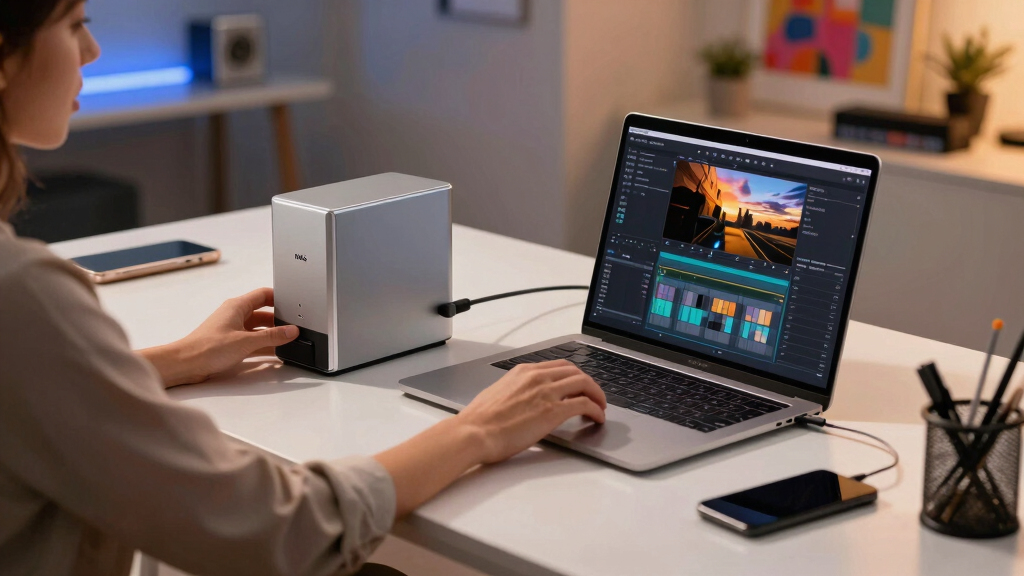
When searching for the best NAS storage for creators, the key is balancing performance, capacity, and ease of use. The MINISFORUM N5 Pro stands out as the best overall choice thanks to its powerful CPU and expandability, ideal for demanding workflows. For those on the go, the portable NAS with SD slots offers flexibility, while the UGREEN NAS DXP480T Plus provides blazing-fast SSD performance for high-speed editing. However, tradeoffs often involve cost, complexity, and features—more advanced options can be expensive and harder to manage, while simpler models might lack the capacity or speed needed for professional projects. Keep reading to see how these options compare to help you find the perfect fit for your creative setup.

Get art and craft supplies delivered free with Prime
- Fast, free delivery on millions of items
- Prime Video, Amazon Music and more included
- Member-only deals all year
Key Takeaways
- Top-performing models combine high-speed SSD support with multiple M.2 slots for expandability.
- Price varies widely, with premium options offering advanced features but at a higher cost.
- Compatibility with creative software and remote access is a common feature in high-end NAS devices.
- Portability and outdoor usability are niche but valuable considerations for on-location creators.
- Most models balance between raw performance and ease of setup — the more powerful the NAS, the steeper the learning curve.


More Details on Our Top Picks
MINISFORUM N5 Pro 5-Bay Desktop AI NAS, AMD Ryzen AI 9 HX PRO 370 12-Core/24T CPU, 128GB SSD, 1x10GbE, 1x5GbE, 1xM.2+2xU.2/M.2 Slots, 2xUSB4(8K), 8K HDMI, OCuLink, Network Attached Storage (Diskless)
This model stands out for its extraordinary processing power, combining an AMD Ryzen AI 9 HX PRO 370 CPU with up to 96GB of DDR5 ECC memory, making it ideal for creators handling intensive tasks like AI, 4K media editing, or running multiple VMs. Compared to the UGREEN DXP480T Plus, it offers vastly superior CPU performance and expandability, but comes with a higher price tag and more complex setup. Its modular design with dual 9025 fans and slide-out motherboard simplifies upgrades, while dual high-speed network ports (10GbE + 5GbE) support rapid data transfers. The inclusion of an OCuLink port for GPU expansion and multiple NVMe slots boosts multimedia and AI capabilities. However, its size and noise levels could be drawbacks for quiet home environments. This pick makes the most sense for tech-savvy creators who need raw performance and future-proofing, but less so for beginners or those seeking plug-and-play simplicity.
Pros:- Exceptional processing power with AMD Ryzen AI 9 HX Pro CPU
- Expandable DDR5 ECC memory up to 96GB ensures stability during heavy workloads
- Multiple NVMe and U.2 slots for high-speed storage expansion
- Dual 10GbE + 5GbE ports support blazing fast network transfers
Cons:- High cost and complex setup may be intimidating for novices
- Relatively large and potentially noisy for quiet home use
Best for: Power users and creators requiring high-performance AI, 4K editing, virtualization, and extensive storage capacity.
Not ideal for: Casual users or beginners seeking an easy-to-set-up, budget-friendly NAS solution.
- Processor:AMD Ryzen AI 9 HX PRO 370, 12-Core/24T
- Memory:Expandable up to 96GB DDR5 ECC
- Storage Slots:5 SATA bays, 3 NVMe slots, 2 U.2 slots
- Network:1x 10GbE, 1x 5GbE ports
- Video Output:8K HDMI, USB4
- Dimensions:199×202×252mm
- Drive Capacity:Supports up to 144TB
- Cooling:Dual 9025 axial fans
Bottom line: This NAS is perfect for advanced creators who need top-tier performance and extensive customization options, but it may overwhelm beginners or those on a tight budget.
Portable NAS, M.2 NVMe & SD Card Slots, Up to 8TB Capacity (Diskless), One-Click Backup, Wi-Fi 6 Support, LCD Display & App Control, Dual 3200mAh Batteries for Outdoor Use
This pick makes the most sense for photographers, vloggers, and outdoor professionals needing portable, quick-access storage. It offers up to 8TB via M.2 NVMe and SD card slots, with a robust 6-hour battery life, Wi-Fi 6, and an intuitive LCD display for easy management—ideal for fieldwork. Compared to the UGREEN NAS DXP480T Plus, it emphasizes mobility with dual 3200mAh batteries and a compact, rugged design, but sacrifices raw storage capacity and expansion options. Its built-in encryption and multiple backup methods (local, cloud, Wi-Fi sync) prioritize data security, while app controls streamline media organization with AI-powered albums. Its main tradeoff is limited internal storage and no large drives, making it less suitable for heavy media libraries or extensive backups. It’s perfect for creators needing a lightweight, durable device for quick transfers and field editing, but less so for large-scale storage needs.
Pros:- Portable design with rugged build and dual 3200mAh batteries
- Supports up to 8TB via M.2 NVMe & SD card, expandable with Dock
- Wi-Fi 6, LCD display, and app control simplify field operation
- Multiple backup options including cloud and local sync
Cons:- Limited internal storage capacity for large media libraries
- No ability to install larger drives or expand beyond 8TB
Best for: Photographers, videographers, and outdoor content creators needing portable, reliable storage with quick backup features.
Not ideal for: Users requiring large, expandable storage or desktop-based workflows with heavy media libraries.
- Max Storage:8TB (expandable to 16TB with Dock)
- Battery Life:Up to 6 hours
- Connectivity:Wi-Fi 6, USB-C, SD card slot
- Backup Methods:Local, cloud, Wi-Fi sync
- Size:Compact and rugged
- Display:LCD with app control
Bottom line: Ideal for on-the-move creators needing quick, secure access and backup of photos and videos, but not suited for large-scale storage or desktop use.
UGREEN NAS DXP480T Plus 4-Bay All-Flash SSD NAS, Intel i5 1235u 10-Core CPU, 8GB DDR5 RAM, Built-in 128G SSD, 10GbE Port, Wi-Fi 6, 4xM.2 NVMe Slots, 8KHDMI, 2xTBT4, Network Attached Storage (Diskless)
This model makes sense for creators prioritizing high-speed SSD performance in a compact form factor, featuring an Intel i5 10-core CPU, 8GB DDR5 RAM, and four M.2 NVMe slots supporting up to 32TB. Compared with the more powerful N5 Pro, it offers faster dedicated SSD storage but less overall CPU power and expandability. Its 10GbE port and Wi-Fi 6 ensure quick data transfers, while HDMI and TBT4 ports support multimedia output and GPU expansion. Its main tradeoffs are its diskless configuration requiring separate SSD purchase and limited internal expansion—best suited for editing workflows and small media libraries. The device’s compact size and excellent network speeds make it ideal for creators who want fast SSD storage in a portable, easy-to-integrate desktop, but it’s less suitable for large, multi-user NAS environments.
Pros:- High-speed 10GbE port and Wi-Fi 6 for fast data access
- Four M.2 NVMe slots supporting up to 32TB total SSD storage
- Compact, lightweight design with HDMI and TBT4 ports
- Powerful 10-core Intel i5 CPU for editing workflows
Cons:- Diskless configuration requires separate SSD investment
- Limited internal expansion and RAM capacity for future upgrades
Best for: Content creators and editors needing fast SSD storage with high-speed networking in a compact desktop.
Not ideal for: Users seeking large storage capacity or extensive hardware expandability.
- Processor:Intel i5 1235u, 10-Core
- Memory:8GB DDR5 RAM
- Storage Slots:4x M.2 NVMe
- Network:10GbE port, Wi-Fi 6
- Video Output:8K HDMI
- Connectivity:TBT4, USB
- Form Factor:Diskless, requires SSDs
- Drive Capacity:Supports up to 32TB
Bottom line: Best suited for creators prioritizing SSD speed and network performance in a portable, space-efficient NAS.
UGREEN NAS DXP2800 2-Bay Desktop All-Round Ideal for Content Creators and Enthusiasts, Intel N100 Quad-core CPU, 8GB DDR5 RAM, 2.5GbE, 2X M.2 NVMe Slots, 4K HDMI, Network Attached Storage (Diskless)
This model makes sense for beginner creators or small teams needing a reliable, easy-to-use NAS with decent performance, featuring an Intel N100 quad-core CPU, 8GB DDR5 RAM, and dual M.2 NVMe slots supporting up to 80TB with RAID options. Compared to the 4-bay All-Flash NAS, this offers larger storage capacity at a lower price, but with less CPU power and no SSD-only performance advantage. It supports 2.5GbE networking and 4K HDMI out for media sharing and simple workflows. The device’s straightforward setup and compatibility make it ideal for small backups, media serving, or light editing. Its main tradeoff is limited processing power, so heavy editing or virtualization is less feasible. It’s a good choice for those starting out or managing small media libraries, but not for demanding AI or multi-user environments.
Pros:- Easy setup with reliable performance
- Supports up to 80TB capacity with RAID configurations
- Dual M.2 NVMe slots for fast internal storage
- 4K HDMI output for media sharing
Cons:- Limited CPU power for heavy editing or virtualization
- No SSD-only performance mode, slower in intensive workflows
Best for: Small content creators, hobbyists, or users with basic media storage and sharing needs.
Not ideal for: Power users or professionals requiring intensive editing, AI, or virtualization workloads.
- Processor:Intel N100 Quad-core
- Memory:8GB DDR5 RAM
- Storage Slots:2x M.2 NVMe
- Network:2.5GbE
- Video Output:4K HDMI
- Drive Capacity:Supports up to 80TB
- Form Factor:Diskless
- Use Case:Basic media and small backups
Bottom line: This NAS is ideal for entry-level creators and small teams needing straightforward, reliable storage and media sharing.
AmberPRO Personal Cloud Storage Device + AC2600 WiFi Router. Dual 1TB Hard Drives with RAID 1 or Optional 2TB with RAID 0. Plex and Home Assistant. iOS/Android/Windows/Mac Compatible. AM1211-1TB
This product makes the most sense for individual users or small households looking for easy local storage with backup, media streaming, and smart home integration. Its dual 1TB drives support RAID 1 for data redundancy or RAID 0 for maximum capacity, with built-in Plex and Home Assistant support making it versatile for media and IoT management. Compared with the diskless UGREEN NAS DXP2800, it offers an all-in-one solution with pre-installed drives and Wi-Fi router functionality, but with limited internal storage and expansion options. The device’s user-friendly app simplifies setup and daily use, and its integrated Wi-Fi 2600 router supports multiple devices with decent coverage. The main tradeoff is its small storage size and limited hardware flexibility, making it more suitable for basic personal use rather than extensive media libraries or advanced workflows.
Pros:- Pre-installed dual 1TB drives with RAID options
- Built-in Wi-Fi 6 router for seamless connectivity
- Supports Plex and Home Assistant for media and smart home
- Compact, all-in-one device with easy app control
Cons:- Limited internal storage and expansion capacity
- Less suitable for large media libraries or demanding workflows
Best for: Individuals and small households needing simple, reliable personal cloud storage with media streaming and smart home features.
Not ideal for: Power users or creators handling large media libraries, complex workflows, or virtualization needs.
- Storage Capacity:1TB (RAID 1), optional 2TB (RAID 0)
- Processor:AM1211-1TB
- Network:AC2600 Wi-Fi Router
- Connectivity:Gigabit Ethernet, USB
- Media Support:Plex, Home Assistant
- Compatibility:iOS, Android, Windows, Mac
- Form Factor:Personal Cloud Device
Bottom line: Perfect for personal cloud storage, media streaming, and smart home integration for small households, but not for extensive media or professional use.
Asustor Flashstor 6 FS6706T – 6 Bay All-SSD NAS Storage, Quad Core 2.0GHz, Six M.2 SSD, Dual 2.5GbE, 4GB RAM DDR4, Network Attached Storage (Diskless)
This all-SSD NAS stands out for creators who need rapid data access and streamlined workflows, especially compared to the lockerstor 4 with its more flexible CPU and memory options. The six M.2 NVMe slots provide lightning-fast storage ideal for editing, rendering, and real-time backups, making it a top choice for demanding creative tasks. The dual 2.5GbE ports allow for aggregated bandwidth, which is critical during large transfers or multi-user setups. However, its plastic construction and limited expandability could be drawbacks for those needing long-term durability or future upgrades. Unlike the Lockerstor 4, it lacks extensive RAM options, which might limit multitasking or future-proofing. This NAS makes the most sense for creators seeking ultra-fast, dedicated SSD storage without the need for traditional HDD options or extensive expandability.
Pros:- Six M.2 NVMe SSD slots deliver exceptional read/write speeds for heavy workloads
- Dual 2.5GbE ports support link aggregation for increased throughput
- Lightweight, compact design with straightforward setup
Cons:- Limited RAM (4GB DDR4) may constrain multitasking and future expansion
- Plastic enclosure might affect durability over time
- Lacks snapshot or versioning features for file recovery
Best for: Professionals and teams who require fast, reliable SSD storage for editing and rendering workflows with minimal latency.
Not ideal for: Hobbyists or small-scale creators who need larger storage capacities or budget-friendly options, as the all-SSD design can be costly.
- CPU:Quad-Core 2.0GHz Intel Celeron N5105
- Drive Bays:6 all-SSD M.2 slots
- Network Ports:Dual 2.5GbE
- RAM:4GB DDR4
- Transcoding:Supports hardware 4K transcoding
- Dimensions:12.09″D x 7.6″W x 1.89″H
Bottom line: This NAS is ideal for creators prioritizing speed and responsiveness over storage capacity or extensive expandability.
Asustor Lockerstor 4 Gen3 AS6804T, 4 Bay NAS, AMD Ryzen Quad-Core 2.3GHz, 16GB ECC DDR5, 4 M.2 NVMe Slots, Dual 5GbE & 10GbE Port, Network Attached Storage for Video & Content Creators (Diskless)
This NAS earns its place for creators who need a balanced mix of speed, expandability, and multi-user performance, surpassing the FS6706T in processor power and memory capacity. The AMD Ryzen quad-core CPU at 2.3GHz (up to 3.8GHz turbo) handles multiple demanding editing tasks, virtual machines, and simultaneous users more smoothly than less capable processors. Its 16GB ECC DDR5 RAM offers reliable multitasking and future-proofing, suitable for complex workflows. The four M.2 NVMe slots provide fast SSD caching, while the dual 5GbE and 10GbE ports support high-bandwidth local networks. The main tradeoff is its larger size and higher cost, which may not suit those with limited space or budget constraints. Compared to the Flashstor, it provides more CPU power and RAM, making it a strong choice for content creators with intensive editing, rendering, or streaming needs.
Pros:- Powerful AMD Ryzen CPU ensures smooth multitasking and demanding workflows
- 16GB ECC DDR5 RAM offers stability and future expansion (up to 64GB)
- Dual 5GbE and 10GbE ports facilitate ultra-fast local networking
Cons:- Larger footprint and higher price point may not suit small or budget setups
- Complex setup process could be overwhelming for beginners
- Limited to 4 drive bays, restricting total raw storage capacity unless expanded externally
Best for: Content creators who need a high-performance, expandable NAS capable of handling multiple editing streams, virtual machines, and fast networking.
Not ideal for: Casual hobbyists or solo creators with modest storage needs and limited budgets, since its advanced features come at a premium price.
- CPU:Quad-Core AMD Ryzen V3C14 2.3GHz (3.8GHz Turbo)
- Drive Bays:4 x M.2 NVMe + 4 bays for 3.5″ drives
- Network Ports:Dual 5GbE & 10GbE
- RAM:16GB ECC DDR5 (expandable up to 64GB)
- Transcoding:Supports hardware accelerated 4K transcoding
- Dimensions:13.78″D x 9.84″W x 12.01″H
Bottom line: This NAS is best suited for serious content creators who need speed, reliability, and room to grow with their projects.

How We Picked
To determine the best NAS storage for creators, I evaluated each product based on performance, expandability, ease of use, build quality, and value. I prioritized models with robust CPU options, ample RAM, and fast network interfaces like 10GbE or higher, since these impact creative workflows involving large files and real-time editing. Devices offering multiple M.2 slots and NVMe support stood out for future-proofing and scalability. Cost was also a factor, but I leaned toward options that deliver a clear advantage for demanding creative tasks. The ranking reflects the best overall balance of power, flexibility, and usability tailored specifically for creators’ needs.Factors to Consider When Choosing Best NAS Storage For Creators
Choosing the right NAS storage for content creation involves considering several key factors beyond raw specs. First, assess performance needs—do you require fast data transfer speeds for 4K editing or real-time rendering? Next, think about expandability; multiple drive bays and M.2 slots allow scaling as your storage demands grow. Compatibility with your existing network and remote access features can streamline workflows, especially if collaborating with teams or working remotely. Price point also matters—investing in high-end models makes sense if your projects demand it, but lower-cost options can suffice for lighter use. Lastly, consider ease of setup and management—intuitive interfaces save time and frustration.Performance and Speed
Performance is often the most critical factor for creators dealing with large files and demanding workflows. Look for NAS devices featuring multi-core CPUs, ample RAM, and fast network interfaces such as 10GbE or higher. SSD support, especially with multiple NVMe M.2 slots, can drastically reduce file transfer times and improve editing latency. However, high performance usually comes with a higher price, so match the specs to your actual workflow needs—if you’re editing 4K videos or working with large media libraries, prioritize speed. For lighter tasks, more modest models may deliver sufficient performance at a lower cost.
Expandability and Scalability
As your creative projects grow, so does your storage requirement. Devices with multiple drive bays and M.2 slots support future expansion without needing a new NAS. This flexibility allows you to start small and scale up over time, avoiding premature upgrades. Keep in mind that more bays and slots often mean a more complex setup and higher initial cost. If you anticipate needing rapid data access and high throughput, prioritize models that support SSDs and include high-speed interfaces. Conversely, if your storage needs are modest, a simpler, less expandable device may be more cost-effective.
Ease of Use and Management
User-friendly interfaces and reliable management tools can save you significant time, especially when handling backups, remote access, or multi-user environments. Features like mobile app control, straightforward setup wizards, and clear firmware updates are valuable. For creators without extensive IT experience, a plug-and-play approach can make a big difference. However, more sophisticated options with advanced management capabilities tend to be more complex to configure. Weigh your comfort level and technical skills against the need for advanced features to find the right balance.
Connectivity and Network Compatibility
The fastest data transfer relies on modern network interfaces. Look for NAS devices with dual 5GbE, 10GbE, or even multi-gig ports if you work with large files regularly. Compatibility with your existing network infrastructure is vital; upgrading to higher-speed ports may require additional switches or cabling. Wi-Fi support can offer flexibility, but wired connections are more reliable for consistent high-speed transfers. Also, check for remote access options, VPN compatibility, and cloud sync features that can enhance your workflow, especially if collaborating with others or working from different locations.
Cost and Long-Term Value
High-performance NAS units tend to carry a premium price, but they can save time and reduce frustration in demanding creative workflows. Consider your long-term needs: investing in expandability, faster interfaces, and better hardware pays off if you anticipate growth. Budget models may suffice for hobbyists or occasional users, but they can become quickly limiting. Look for a device that offers the features you need now, with room to upgrade later. Also, factor in ongoing costs such as drives, replacement parts, and maintenance when evaluating overall value.
Frequently Asked Questions
Can I use a NAS for editing 4K videos directly?
Yes, many modern NAS devices support 4K video editing, especially those with multiple SSD slots and 10GbE or higher network interfaces. These features allow for high data throughput needed for real-time editing and playback. However, the actual performance depends on the NAS’s CPU, RAM, and network setup. For seamless 4K editing, choose a model with dedicated SSD support and ensure your workstation is connected via a high-speed network. Keep in mind that for heavy editing, a local storage solution might still be preferable, but a high-end NAS can serve well as shared storage for creative teams.
Is it better to get a diskless NAS or one with drives pre-installed?
Opting for a diskless NAS offers greater flexibility since you can choose your own drives, often matching your preferred capacity, speed, and redundancy options. This approach is ideal for users who want to customize their setup or upgrade drives over time. Pre-installed drives might seem more convenient, but they often come at a premium and offer less flexibility. For creators planning to expand storage or use specific drive types, starting with a diskless model makes more sense, providing control over storage configuration and future growth.
How important is remote access for creators using NAS?
Remote access is highly valuable for creators who work across multiple locations or collaborate with teams. It enables you to access your files from anywhere, stream media, or perform backups without being tied to a single physical workstation. A NAS with robust remote access features, secure VPN support, and cloud synchronization can significantly streamline your workflow. However, setting up remote access requires proper security measures to protect your data. For solo creators or those working only in a studio, local network access might suffice, but remote capabilities add considerable flexibility.
Should I prioritize storage capacity or speed?
This depends largely on your specific workflow. If you work with large media files like 4K or 8K video, speed—especially with SSD support and high-speed network interfaces—becomes more critical to avoid bottlenecks. Conversely, if your projects involve mainly smaller files or you need extensive storage for archives, capacity might take precedence. Many creators find a balance by combining high-capacity HDDs for storage with SSDs for active projects. Carefully evaluating your typical file sizes and editing needs will help determine the right mix for your setup.
Conclusion
The best overall NAS for creators in 2026 is the MINISFORUM N5 Pro thanks to its high performance and expandability. If value is your priority, the UGREEN NAS DXP2800 offers solid features at a more accessible price point, especially suited for enthusiasts or hobbyists. For those seeking premium performance and future-proofing, the Asustor Lockerstor 4 Gen3 provides a robust, high-speed platform ideal for demanding professional workflows. Beginners or casual users will find simpler models more manageable, while creators with mobile or outdoor needs should consider specialized portable options. Your choice should align with your current needs, growth plans, and technical comfort—these picks cover a broad spectrum to help you find the perfect fit.
Halloween Picks
halloween
As an affiliate, we earn on qualifying purchases.