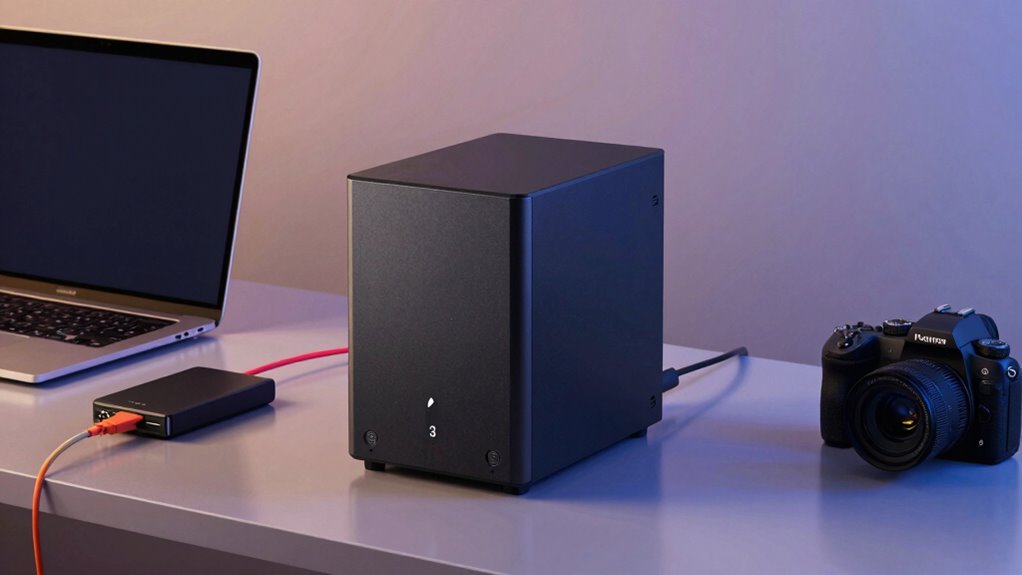

As your creative projects grow, external drives can become slow, unreliable, and cumbersome to manage. A NAS offers a centralized, secure hub that improves organization, boosts collaboration, and provides remote access. It handles large files seamlessly and scales with your needs, ensuring your workflow stays smooth. Plus, NAS features like data protection and automatic backups give you peace of mind. Keep exploring to discover how upgrading can transform your creative process.

Get art and craft supplies delivered free — and shop member deals
- Fast, free delivery on millions of items
- Access to Prime Big Deal Days deals on October 6–7
- Prime Video, Amazon Music and more included
Key Takeaways
- NAS provides centralized, organized storage for large files, improving workflow and collaboration as external drives become cumbersome.
- Supports remote access and multi-device sharing, ideal for creators needing seamless collaboration beyond external drive limitations.
- Offers enhanced data security with encryption, user controls, and regular backups, reducing risks associated with external drive failures.
- Scalable storage options allow growth with project demands, ensuring long-term data management solutions.
- Integrates cloud synchronization for hybrid storage, providing off-site backup and easy sharing of large files.
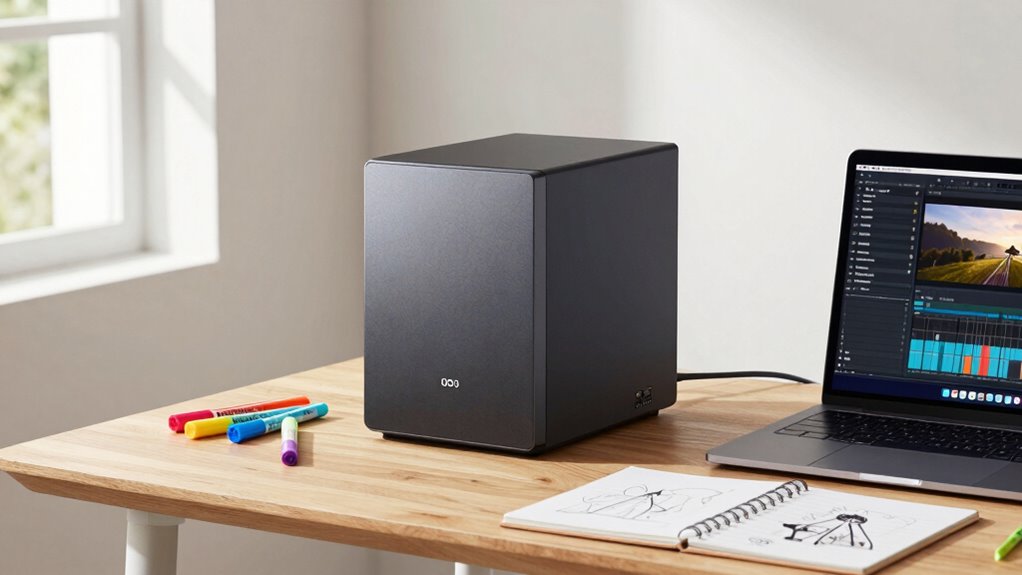
As a creator, your storage needs quickly outgrow external drives, especially when working with large files and demanding projects. External drives can become cumbersome, slow, and unreliable as your workload increases. That’s where NAS (Network-Attached Storage) steps in as a game-changer. Unlike external drives, NAS offers a centralized hub for all your files, making collaboration smoother and access more flexible. With NAS, you no longer need to connect and disconnect drives constantly; instead, you access your data over your local network or even remotely. This setup allows you to work seamlessly from different devices, whether you’re editing videos, managing photos, or handling large datasets.
NAS centralizes your files, enabling seamless remote access and smoother collaboration for demanding creative projects.
One of the biggest advantages of upgrading to NAS is the ability to utilize cloud synchronization. With cloud sync features, you can automatically back up your files to cloud services or synchronize your NAS with cloud storage providers. This integration creates a hybrid storage solution that combines the speed and security of local storage with the accessibility and redundancy of the cloud. You can effortlessly share large files with clients or collaborators without worrying about email size limits or transfer speeds. Plus, cloud synchronization ensures that your latest work is always backed up off-site, giving you peace of mind in case of hardware failure, theft, or natural disasters.
Data security is a top concern when you’re handling valuable creative assets. NAS devices come equipped with advanced security features, such as encryption, user access controls, and firewall protections. These tools help safeguard your files from unauthorized access or cyber threats. You can set up specific permissions for different users or team members, ensuring that sensitive projects are protected while still allowing easy collaboration. Regular backups and snapshot features further enhance your data security by enabling quick recovery from accidental deletions or corruption. Additionally, the ability to manage multiple drives in a RAID configuration provides redundant storage for increased reliability. Incorporating scalable storage options allows your setup to grow alongside your creative projects without needing a complete overhaul. As technology advances, modern NAS units can also support advanced hardware features like faster processors and increased RAM, further boosting your workflow efficiency. Furthermore, many NAS systems now include automatic firmware updates, which help keep your device protected against emerging cyber threats. When you outgrow external drives, investing in NAS means you’re not just expanding your storage; you’re also fortifying your entire data management system. Regularly researching security enhancements can further strengthen your data protection measures.
In short, NAS provides a scalable, secure, and collaborative environment that adapts to your growing needs. Its ability to integrate with cloud synchronization streamlines workflows and keeps your files accessible from anywhere. Meanwhile, robust data security features protect your creative output from potential threats. For anyone serious about their craft and looking to move beyond external drives, NAS delivers the performance, flexibility, and peace of mind necessary to keep your creative projects moving forward without interruption.
NAS storage for creative professionals
As an affiliate, we earn on qualifying purchases.
As an affiliate, we earn on qualifying purchases.
Frequently Asked Questions
How Do I Choose the Right NAS Size for My Needs?
To choose the right NAS size, consider your current storage needs and future growth, focusing on storage scalability. Think about how much data you’ll store now and later, ensuring the NAS can expand. Also, evaluate user access requirements—how many people need to access files simultaneously. Pick a NAS with enough drive bays and performance features to handle your projects now and as your creative work grows.
What Security Measures Are Available for NAS Data Protection?
You can protect your NAS data with robust security measures like encryption protocols and access controls. Encryption guarantees your data stays private, even if someone gains unauthorized access, while access controls restrict who can view or modify files. Regular updates and strong passwords further bolster security. By implementing these measures, you safeguard your creative work and maintain control over your valuable data, preventing potential breaches.
Can NAS Systems Be Used Remotely Outside My Local Network?
You can absolutely use your NAS remotely outside your local network, especially if you set up remote access. Coincidentally, many NAS systems now offer cloud integration, making remote connection seamless and secure. With proper configuration, you’ll access your files anytime, anywhere, just like syncing with the cloud. This flexibility guarantees your creative work remains accessible, whether you’re in a coffee shop or traveling, without compromising on security.
How Does Backup and Disaster Recovery Work With NAS?
Backup and disaster recovery with NAS involve setting up automated backups, often integrating cloud services for offsite safety. You can encrypt your data to protect it from unauthorized access during transfer and storage. Cloud integration allows you to sync your NAS with remote cloud storage, ensuring your files are safe even if your local device fails. Regular backups and encryption help you recover quickly and securely from disasters or data loss.
What Is the Typical Maintenance Required for NAS Devices?
You need to regularly check your NAS device’s health, update firmware, and monitor data redundancy status to guarantee data safety. Power management settings help optimize energy use and prevent unexpected shutdowns. You should also perform routine backups, clean dust from vents, and verify drive integrity. These steps keep your system reliable, protect your data, and extend your NAS’s lifespan, making sure it continues to support your creative work effectively.
Conclusion
As your creative projects grow, your storage needs become a tangled web that external drives can’t always untangle. Upgrading to NAS storage is like switching from a bicycle to a spaceship — it elevates your workflow, offering more space, speed, and security. With NAS, you’re not just keeping up; you’re soaring ahead, turning your storage solution into a launchpad for endless creativity. Embrace the upgrade and watch your possibilities multiply.
Fall Picks
fall essentials
As an affiliate, we earn on qualifying purchases.